
Everything your store does, inside Telegram and Discord.
Anything a customer can do on your site, they can do in the chat. You can sell through Telegram or Discord with no website at all.
What customers can do in the chat
The bots sell from the same store as your site: the same plans, prices, coupons, payment methods and accounts. An order placed in Telegram lands in your admin like any other.
Buy
- See your plans and prices
- Order one plan or several, with a discount code or invite code
- Pay with any of your payment methods, or with their credits
- Start a trial
Manage
- Sign in, create an account or reset a password
- See each connection, when it ends and how to sign in
- Renew, or add connections to a line
- Pick their channels, rename a connection or link one they already have
Get help
- Check their orders and pay one that's waiting
- Share their invite code and see their credits
- Open a ticket, reply and close it
- Change their name, email and password
What members see
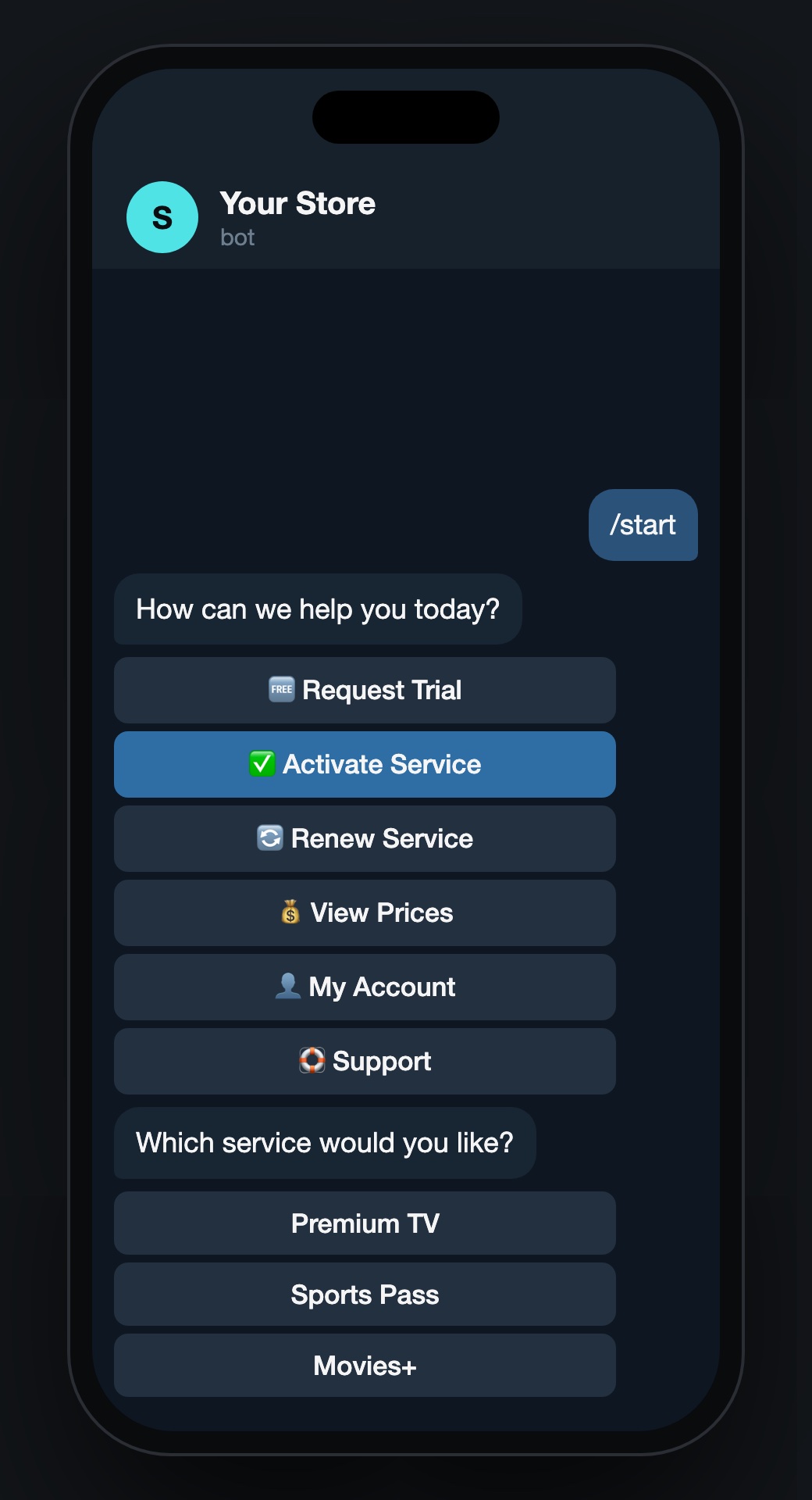
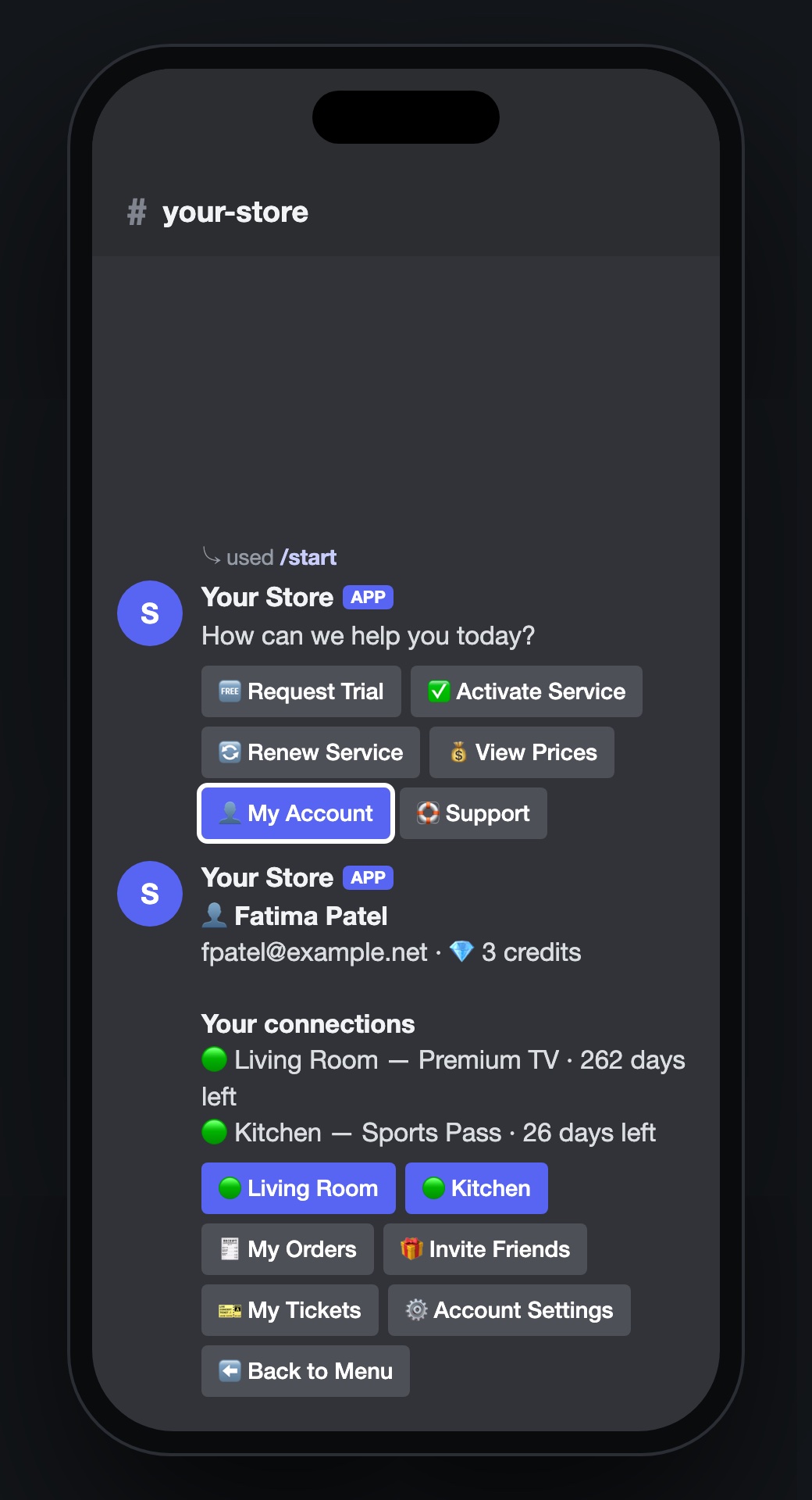
The same menu in both apps: their connections, orders, invite code, tickets and settings.
Telegram
A private chat with your bot. Passwords typed in are deleted from the chat straight away.
Discord
Works in your server. Sign-in happens in a private form only the member sees.
Who can use them
The bots follow your site's settings, so a members-only site gets members-only bots.
- Everyone. Anyone can browse, buy and start a trial.
- Members and invites. Only signed-in customers, or people with an invite code.
- Password. One shared password you hand out.
Staff chat Optional
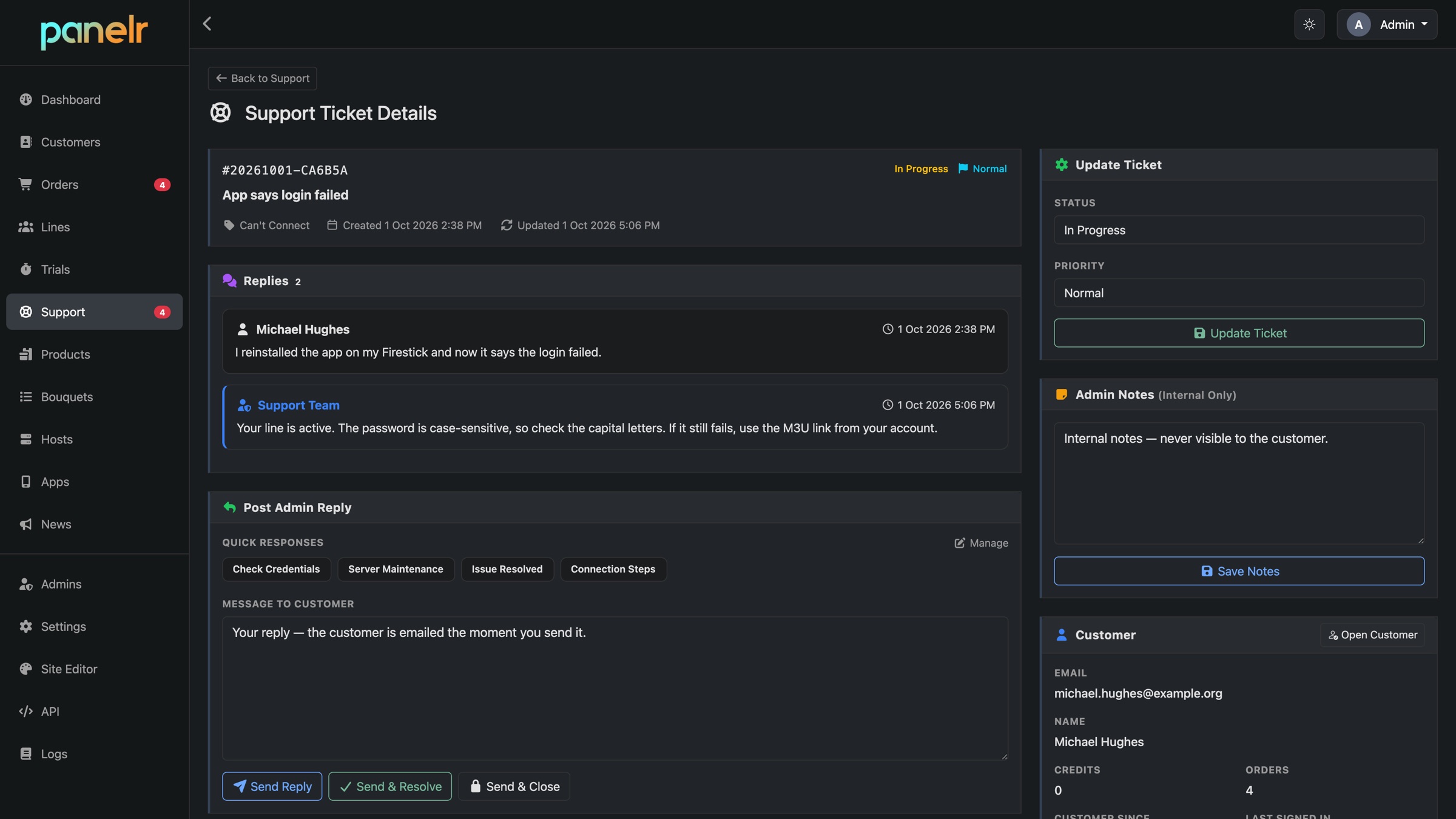
Send tickets to a Telegram group or a Discord server your team already sits in. Each ticket gets its own topic or channel. Reply there and the answer reaches the customer.
Prefer the admin? Leave it off and answer tickets there.
Setting one up
Each bot is set up on its own, so you can start with one and add the other later.
- Create a bot with Telegram's BotFather, or an application in the Discord developer portal.
- Paste its token into Settings, then Bots, in your Panelr admin.
- Choose who can use it and what it shows.
- Turn on the staff chat if you want it.