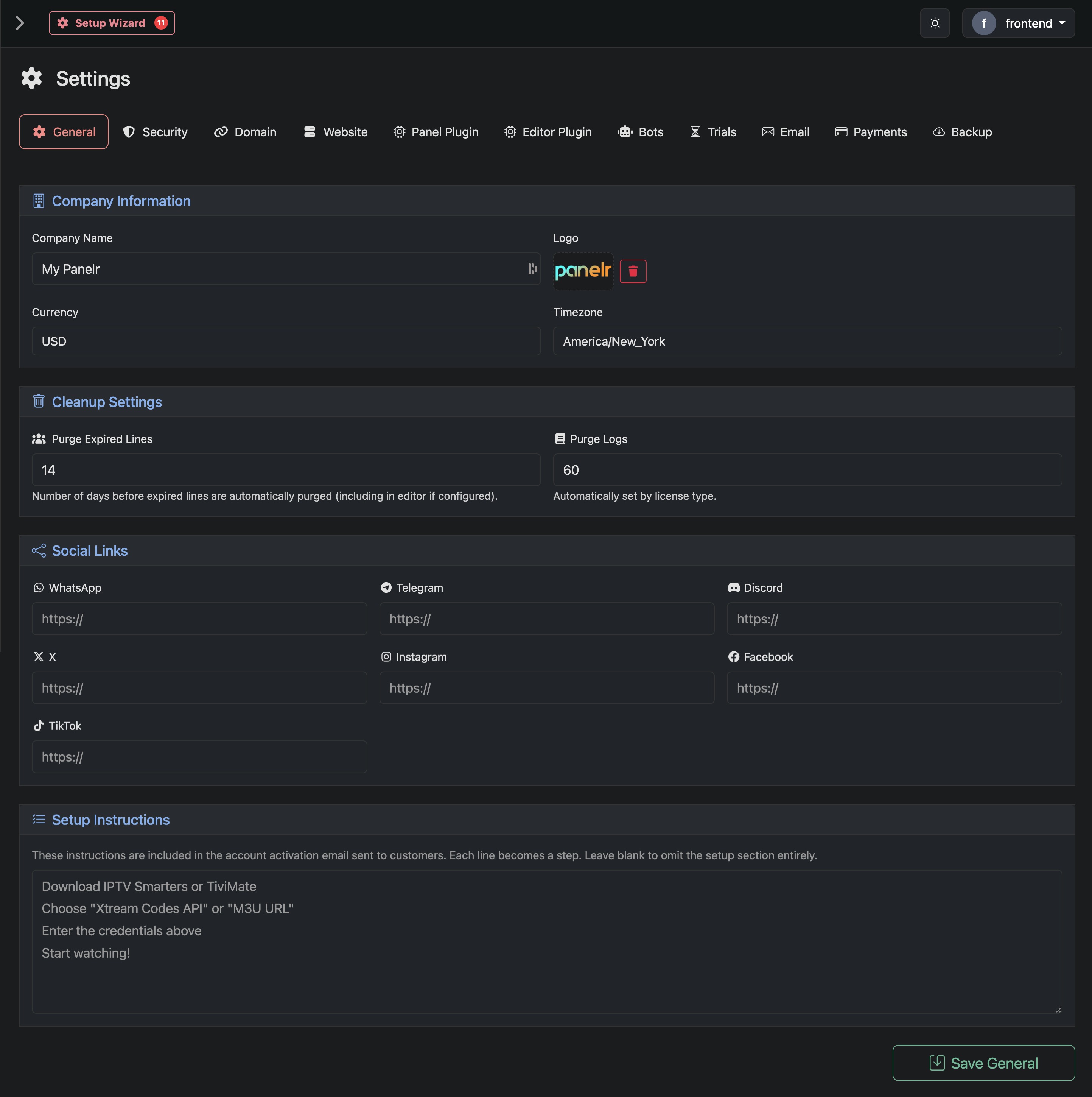
Use this page to define your business identity, regional settings, cleanup rules, social links, and customer setup instructions. These values are used across your website, emails, and customer-facing flows.
Company Information
Company Name
The name displayed across your website, emails, and customer communications.
Logo
Your brand logo. Used in the website header, emails, and other customer touchpoints.
Currency
Sets the default currency for pricing, checkout, and invoices.
Timezone
Defines how dates and times are displayed across the system (orders, logs, expirations).
Cleanup Settings
Purge Expired Lines
Number of days after expiration before lines are permanently removed from Panelr.
Purge Logs
Controls how long system logs are retained. This value is automatically managed based on your license.
Social Links
Add links to your social platforms. These are used throughout your website and may appear in headers, footers, or contact sections.
Supported platforms include WhatsApp, Telegram, Discord, X, Instagram, Facebook, and TikTok. Leave any field blank to hide that platform.
Setup Instructions
These instructions are included in the account activation email sent to customers. Each line becomes a step. Keep steps short and clear. Leave blank to remove this section entirely. Use this section to guide customers from activation to first playback as quickly as possible.