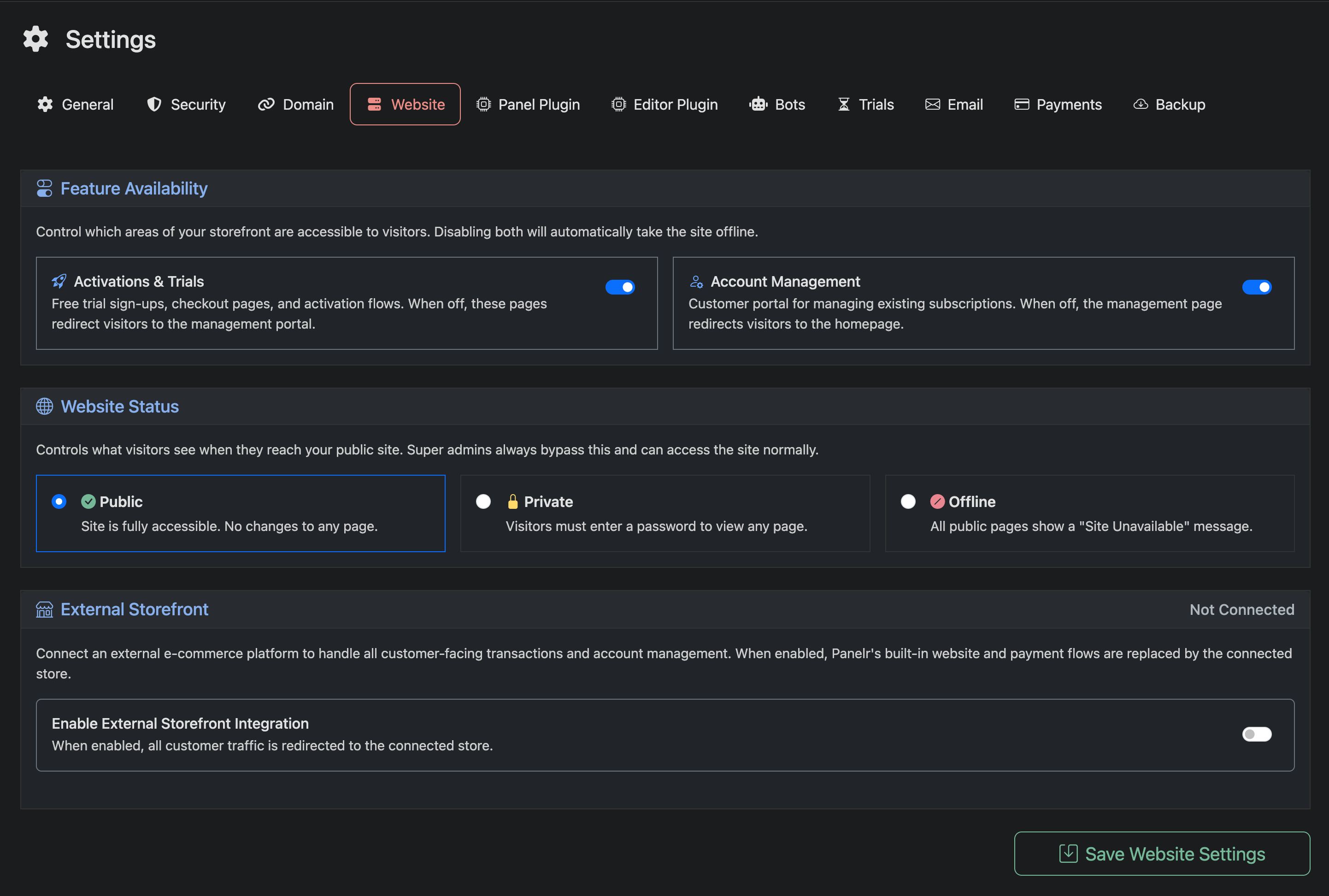
Use this page to control how your public website behaves and what visitors can access. This does not control design or layout. For that, use the Full Site Editor.
Feature Availability
Control which parts of your storefront are accessible to visitors. If both options are disabled, the website is automatically taken offline.
Activations & Trials
Controls access to free trials, checkout pages, and activation flows. When disabled, these pages redirect visitors to the account management portal.
Account Management
Controls access to the customer portal where users manage their subscriptions. When disabled, the management page redirects to the homepage.
Website Status
Defines what visitors see when accessing your site. Super admins are not affected and can always access the site.
Public
The site is fully accessible with no restrictions.
Private
All pages are locked behind a password. Visitors must enter the password to view the site.
Offline
All public pages display a “Site Unavailable” message.
Redirect URL (Optional)
If set, visitors are redirected to this URL instead of seeing the unavailable message when the site is offline. Leave blank to use the default unavailable page.
External Storefront
If you prefer to use your own website instead of Panelr's built-in site editor, you can connect an external storefront to handle all customer-facing transactions and account management. When enabled, Panelr's built-in website and payment flows are replaced by your connected store.
There are two ways to connect: via a pre-configured shopping cart plugin for supported platforms, or via Panelr's API for any custom or unsupported site (requires development work).
To enable, toggle on Enable External Storefront Integration. Make sure your storefront is fully configured before doing so — enabling it beforehand will redirect customers to a non-working destination. See Setting Up an External Storefront for full instructions.
Full Site Editor
Design and content for your website are managed separately in the Full Site Editor. This section only controls access and visibility, not layout or styling.