Payments
Settings → Payments
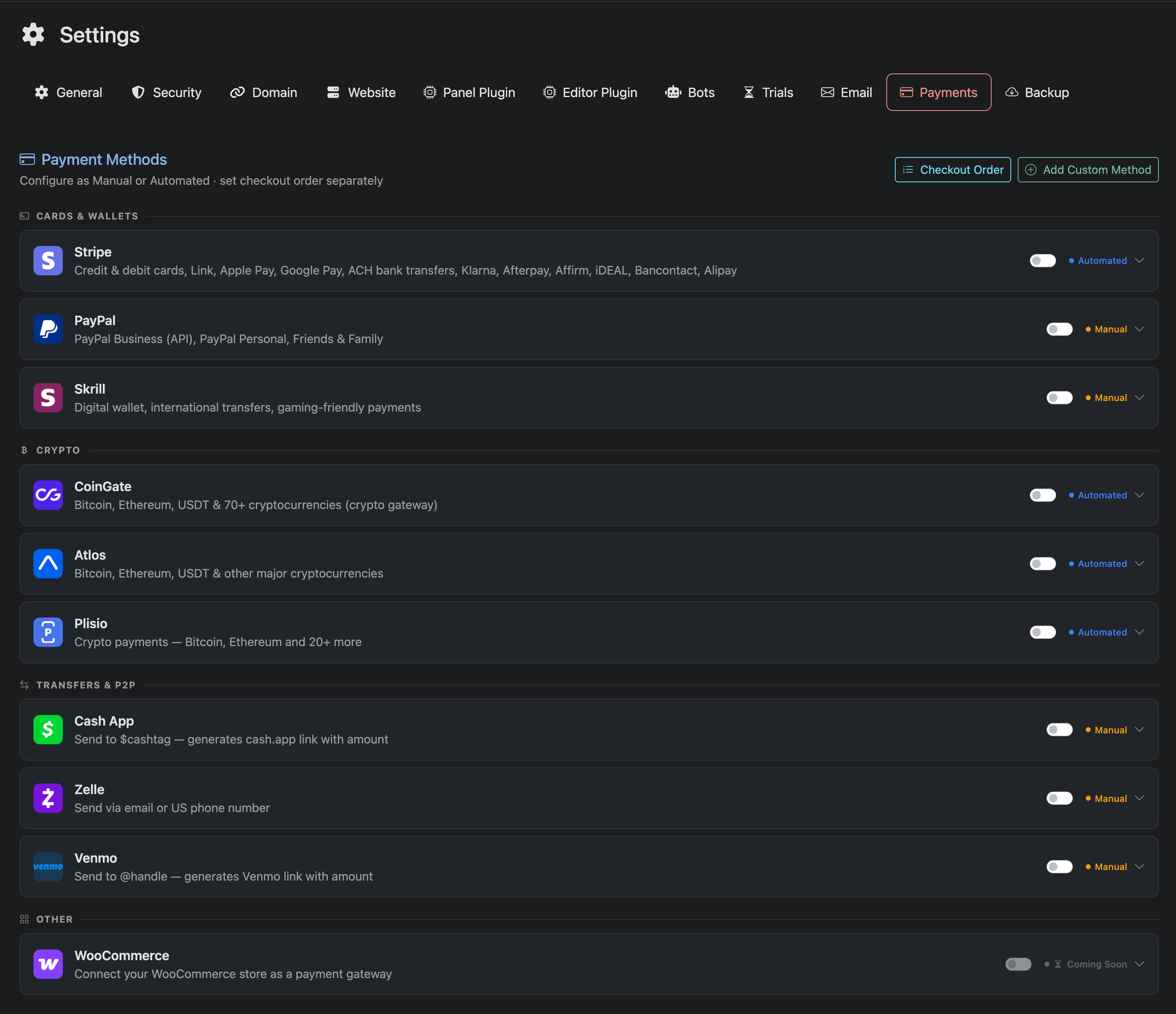
Use this page to configure how your customers pay.
Panelr supports both automatic (API-based) and manual payment methods. Each method can be enabled and configured individually.
To get started, click on a payment method to expand it and configure its settings. When configuring a payment method, you can apply either a discount or a fee for customers who choose that method.
Adjustments can be set as a fixed amount or a percentage.
Automatic vs Manual Modes
Some payment methods support Automatic (API) mode. These connect directly to the provider and confirm payments instantly.
These providers include options like Stripe, PayPal (API), and crypto gateways.
Automatic methods typically require:
- API Keys
- Webhook configuraiton
- Environment selection (sanbox/production)
Sandbox vs Production
For providers that support automatic mode, you will see both Sandbox and Production credentials.
Sandbox mode is used for testing. It allows you to simulate payments without processing real transactions.
Production mode is used for live payments. Real charges are processed using your live credentials.
Always test your setup in sandbox mode before switching to production.
Manual Payment Methods
Manual methods such as Cash App, Zelle, and Venmo do not use APIs.
Customers are shown payment instructions and must submit a confirmation (such as a transaction ID). You review and approve the payment manually.
Automatic payment processors are only available on Pro and Max Panelr licenses.
Checkout Order

Click “Checkout Order” to control how payment methods are displayed to customers at checkout.
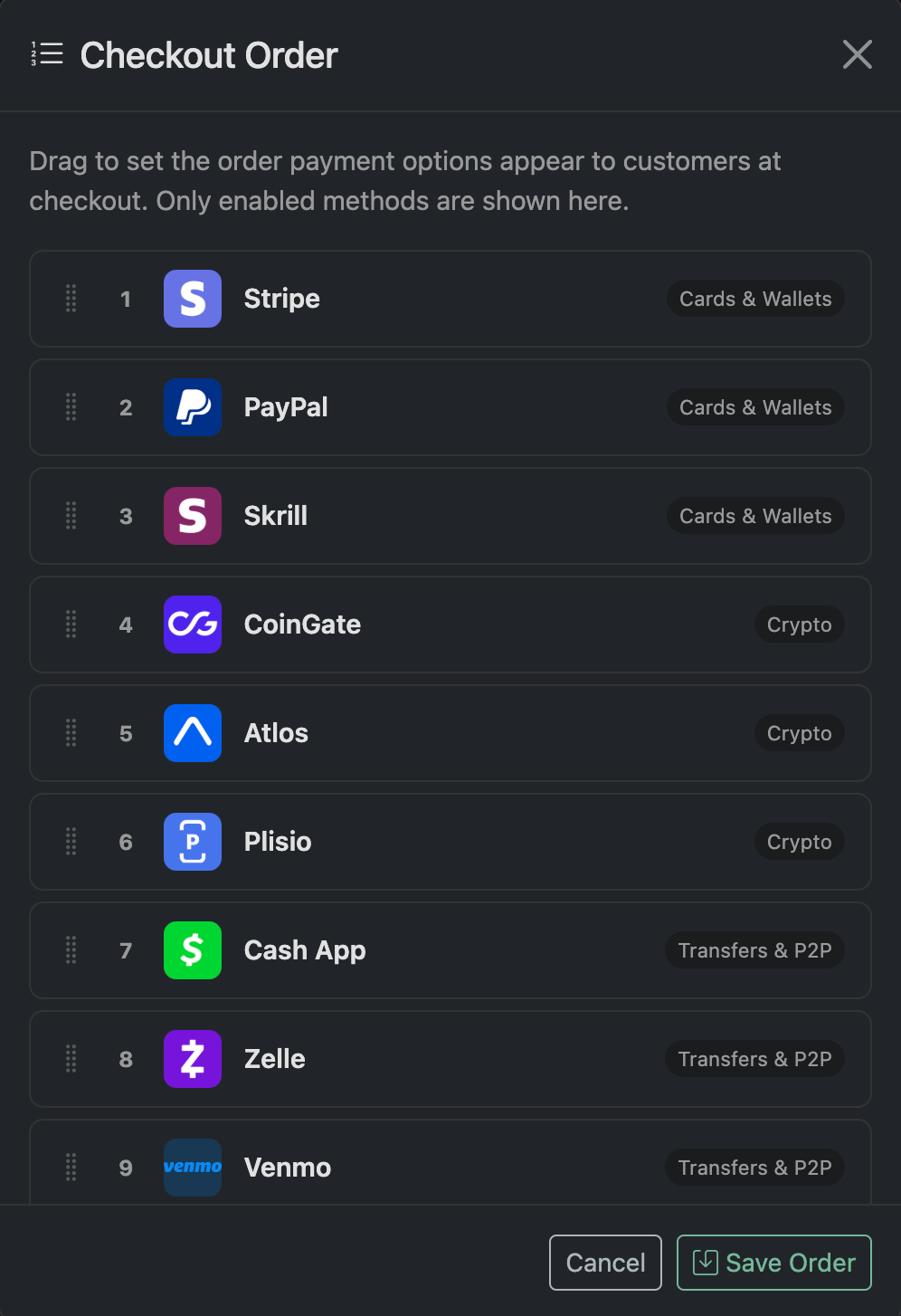
Drag and drop the methods to reorder them. The list reflects the exact order customers will see.
Click Save Order to apply your changes.