My Profile
Accessing Your Profile
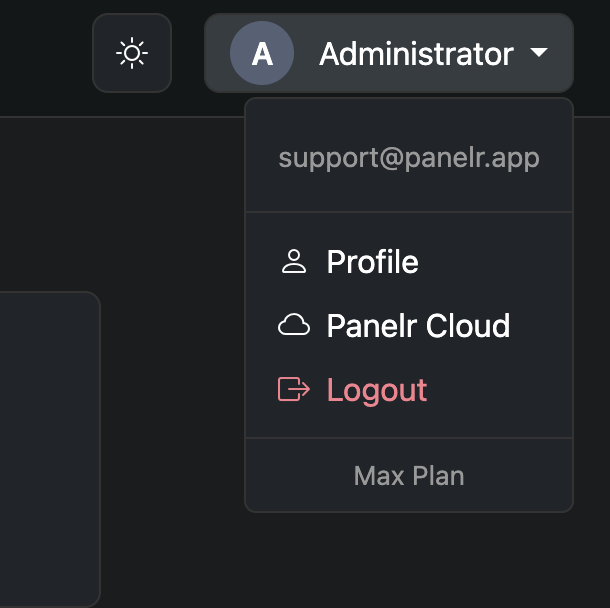
To access your profile settings:
- Click your account name in the top-right corner of the screen
- In the dropdown menu, click “Profile”
This will take you to the My Profile page where you can update your account information, change your password, and enable 2FA.
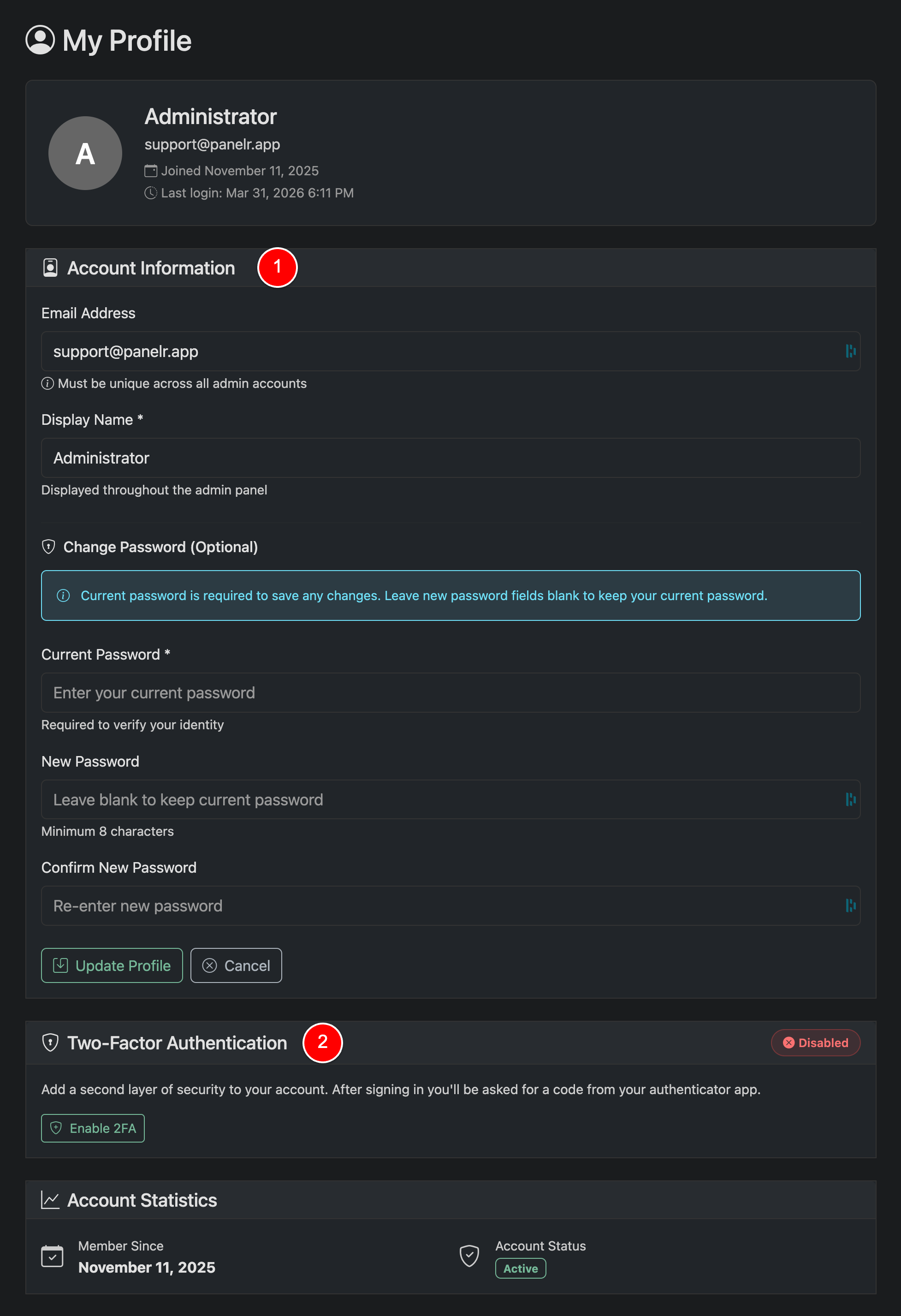
The My Profile page allows you to manage your personal admin account. From here, you can update your account details, change your password, and enable two-factor authentication (2FA) to secure your access.
Sections
Account Information (1)
Update your personal account details:
- Change your email address (must be unique)
- Update your display name
- Change your password
To save any changes, you must enter your current password. If you do not want to change your password, leave the new password fields blank.
Two-Factor Authentication (2FA) (2)
Add an extra layer of security to your account. When enabled, you will be required to enter a code from your authenticator app when logging in.
Click “Enable 2FA” to begin setup.
Notes
- Your profile changes apply immediately after saving
- Changing your password will update your login credentials
- 2FA is strongly recommended to protect your account from unauthorized access