Assigning Lines
Assign Lines to Hosts
Once hosts are configured, new lines are automatically assigned to available hosts during provisioning. No action is required in normal operation.
However, after an initial panel or editor sync, existing lines will not have hosts assigned. These must be assigned manually. Panelr will also alert you if hosts are nearing or exceeding capacity.
Steps

Click “Unassigned Lines” (1) to view all lines without a host assigned.
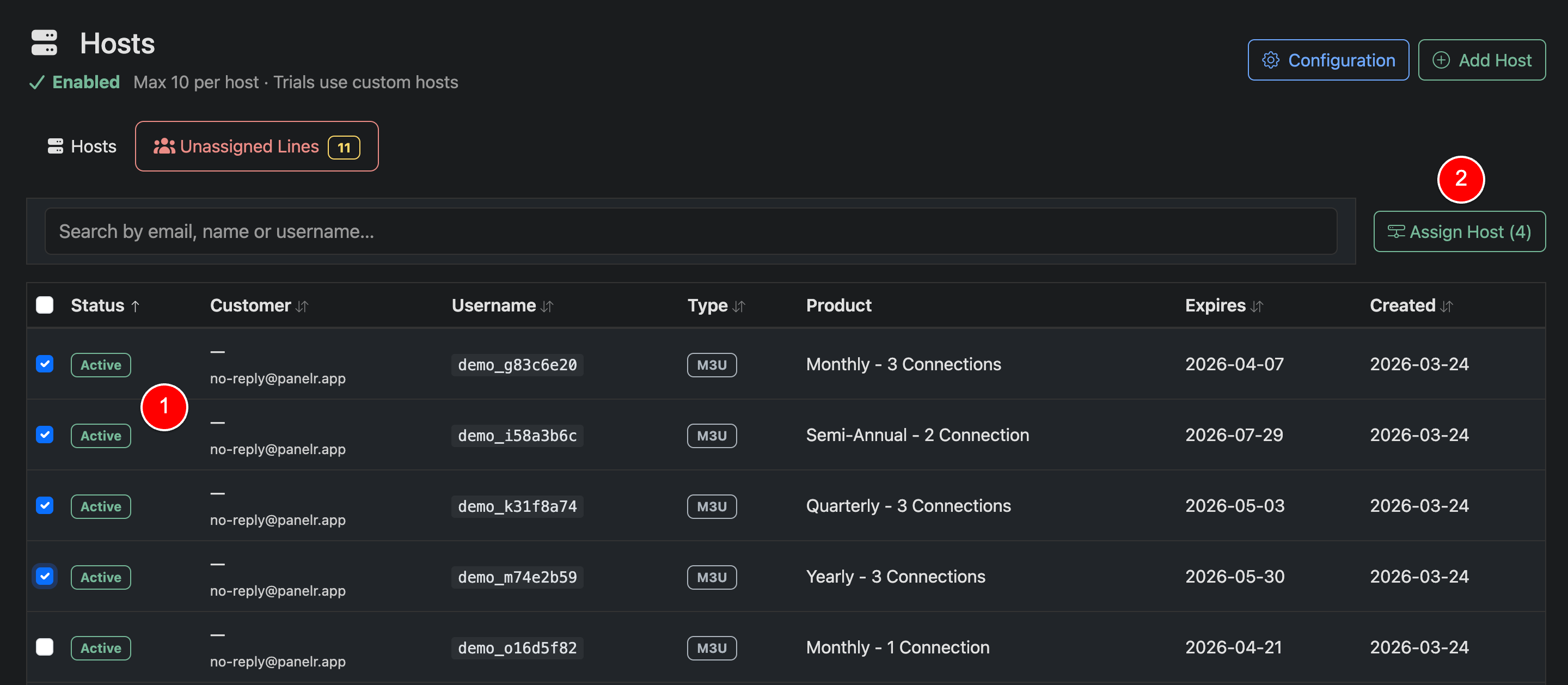
Select Lines (1)
Select one or more lines using the checkboxes
Assign Host (2)
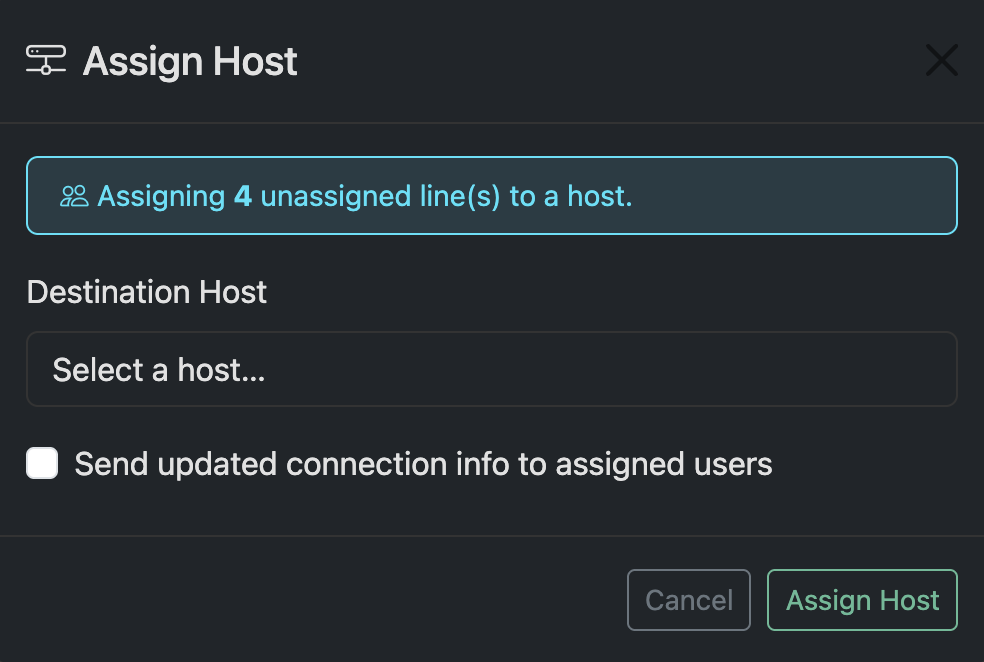
You will be prompted to:
- Choose a host
- Optionally send updated connection details to the customer
Notes
- Lines created after host setup are assigned automatically
- Manual assignment is only required after initial sync or for rebalancing
- Assigning a host updates the connection endpoint for the line
- Sending connection details ensures customers can reconnect without interruption