Remove a Host
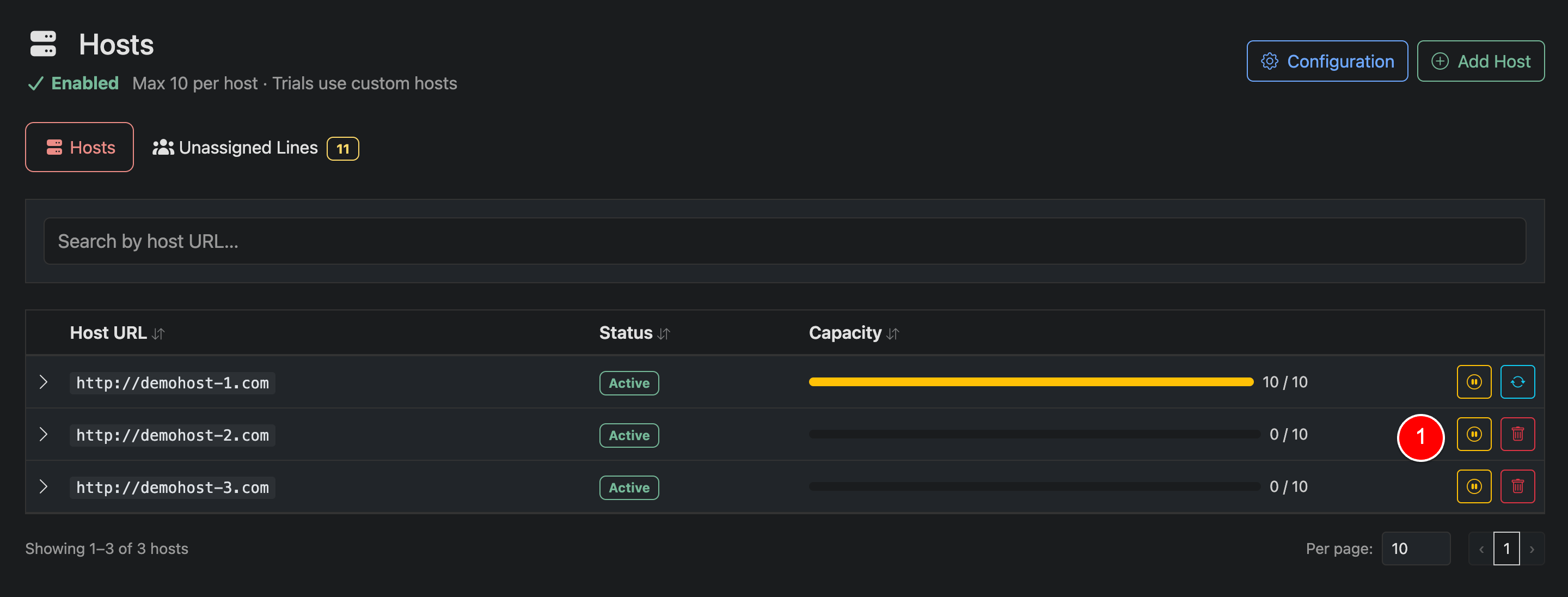
Admins can add or remove hosts at any time. Removing a host depends on whether any lines are currently assigned to it.
- If the host has no lines, it will be removed immediately
- If the host has assigned lines, you will be required to migrate those lines before deletion
Host Actions (1)
Each host row includes multiple actions.
Delete (trash icon): Visible only if the host has no assigned lines. Clicking this will immediately remove the host.
Migrate (sync icon): Shown when the host has assigned lines. Use this to migrate all lines to another host before removal.
Pause (power icon): Temporarily disables the host without deleting it. This prevents new assignments while keeping existing lines intact. Or, used for staging before activating hosts.
Notes
- Hosts must always have capacity available before migration
- Removing a host does not delete lines, only reassigns them
- Plan migrations carefully to avoid overloading another host