Add a Product
Add a Product
This feature is only available if no panel plugin is installed, or if your plugin does not support product sync.
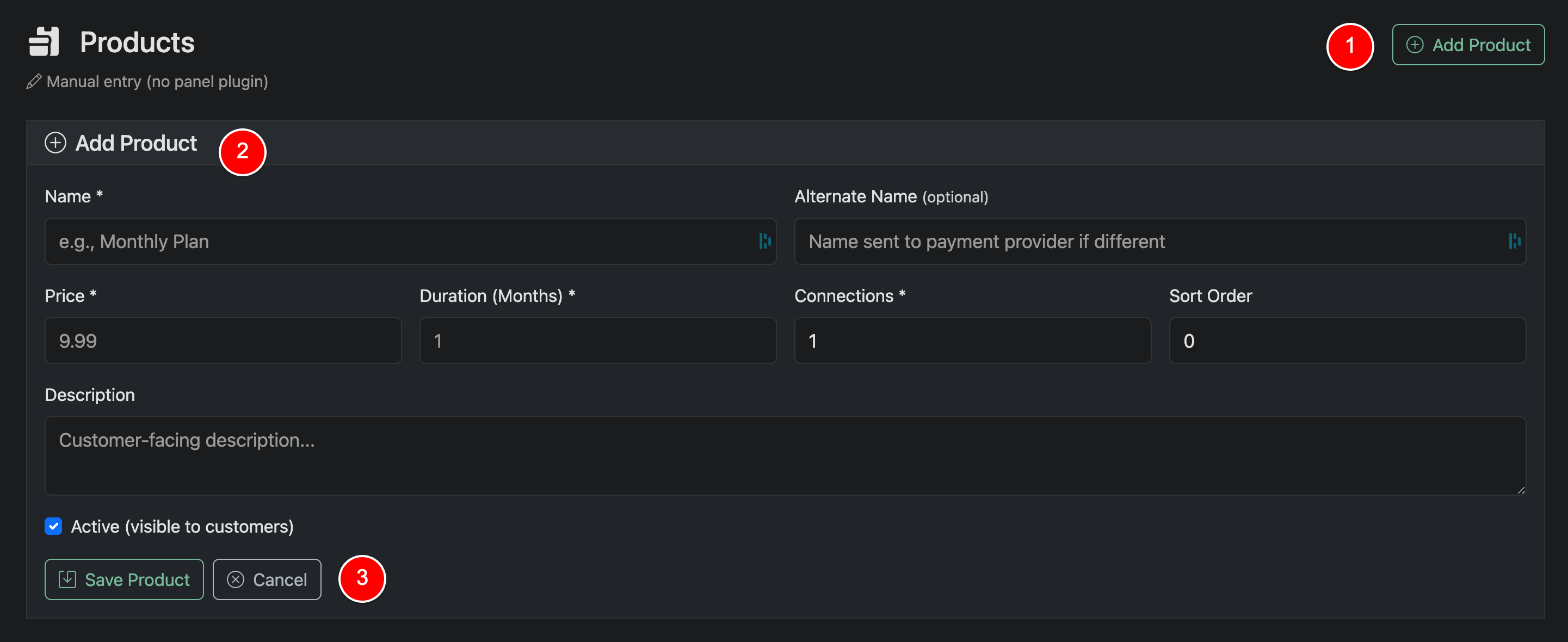
To create a product, click Add Product (1), fill out the required fields, and click Save Product.
If a panel is connected but does not support product sync, you must enter the exact Panel Product ID as it appears in your panel. This ensures Panelr can correctly provision lines through the API.
Field Overview
Name
Customer-facing product name
Alternate Name (optional)
Name used for internal records and sent to the payment provider if different
Price
Product Price
Duration (months)
Length of the subscription
Connections
Number of allowed connections
Active
Toggle whether the product is active/inactive