Editor Bouquets
Editor Bouquets
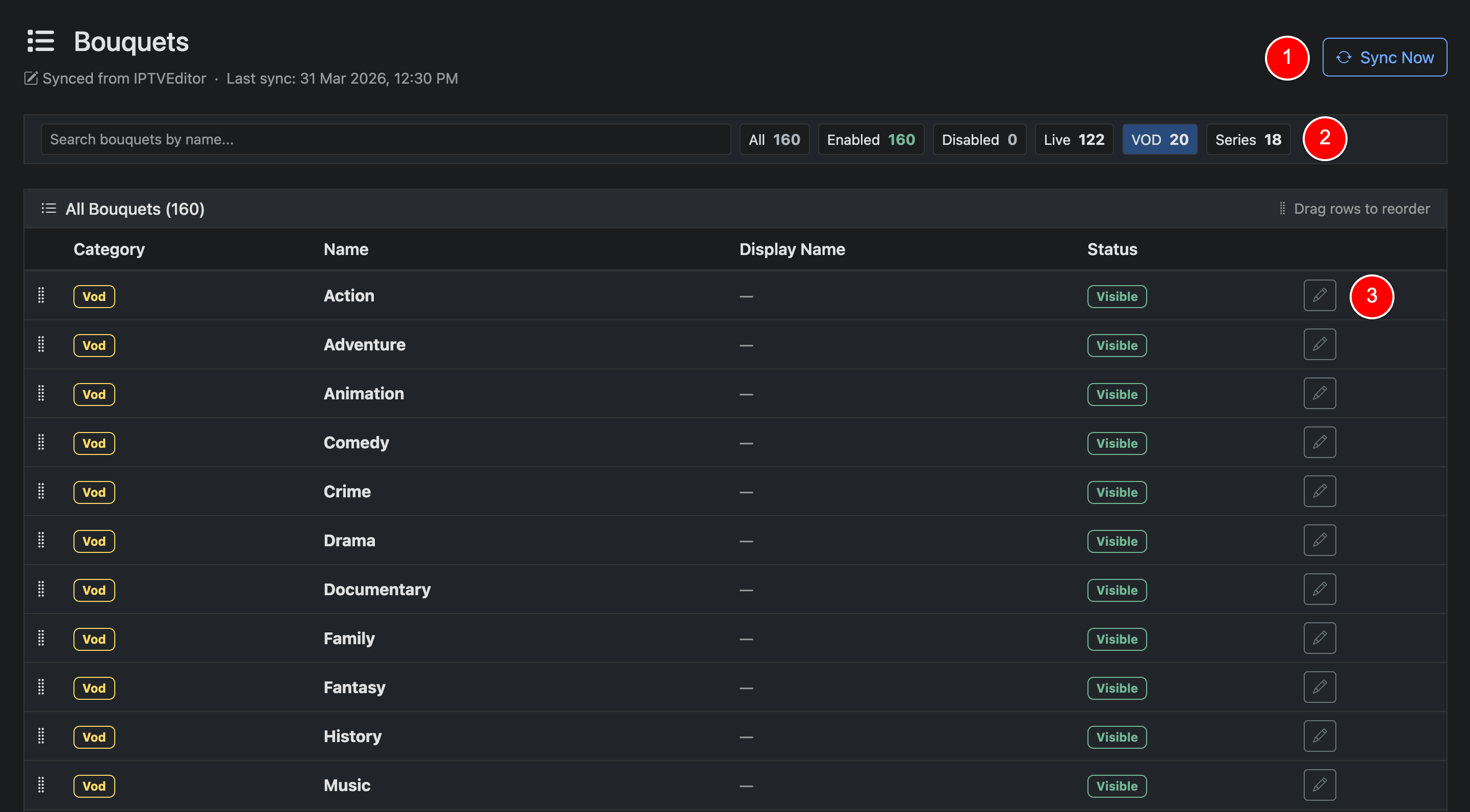
Editor bouquets are used when both a panel and editor are connected. In this mode, categories are synced from your editor and organized into Live, VOD, and Series.
Unlike panel bouquets, editor bouquets support multiple selections and are presented as checkboxes when assigning content to a line.
Sync Now (1)
Click Sync Now to refresh categories from your editor. Syncs also run automatically in the background.
Seach & Filter (2)
Use filters to quickly view categories by type (Live, VOD, Series) or status (Enabled/Disabled).
Edit (3)
Click the edit icon to control visibility and optionally set a display name. Only visible categories will be available for selection.
Editor bouquets are defined and managed within your editor. Panelr reflects this structure and allows you to control visibility and organization without modifying the underlying editor configuration.
If you have a panel plugin activated, be sure to set the default panel bouquet in the Panel Plugin settings