Orders Overview
Work Orders
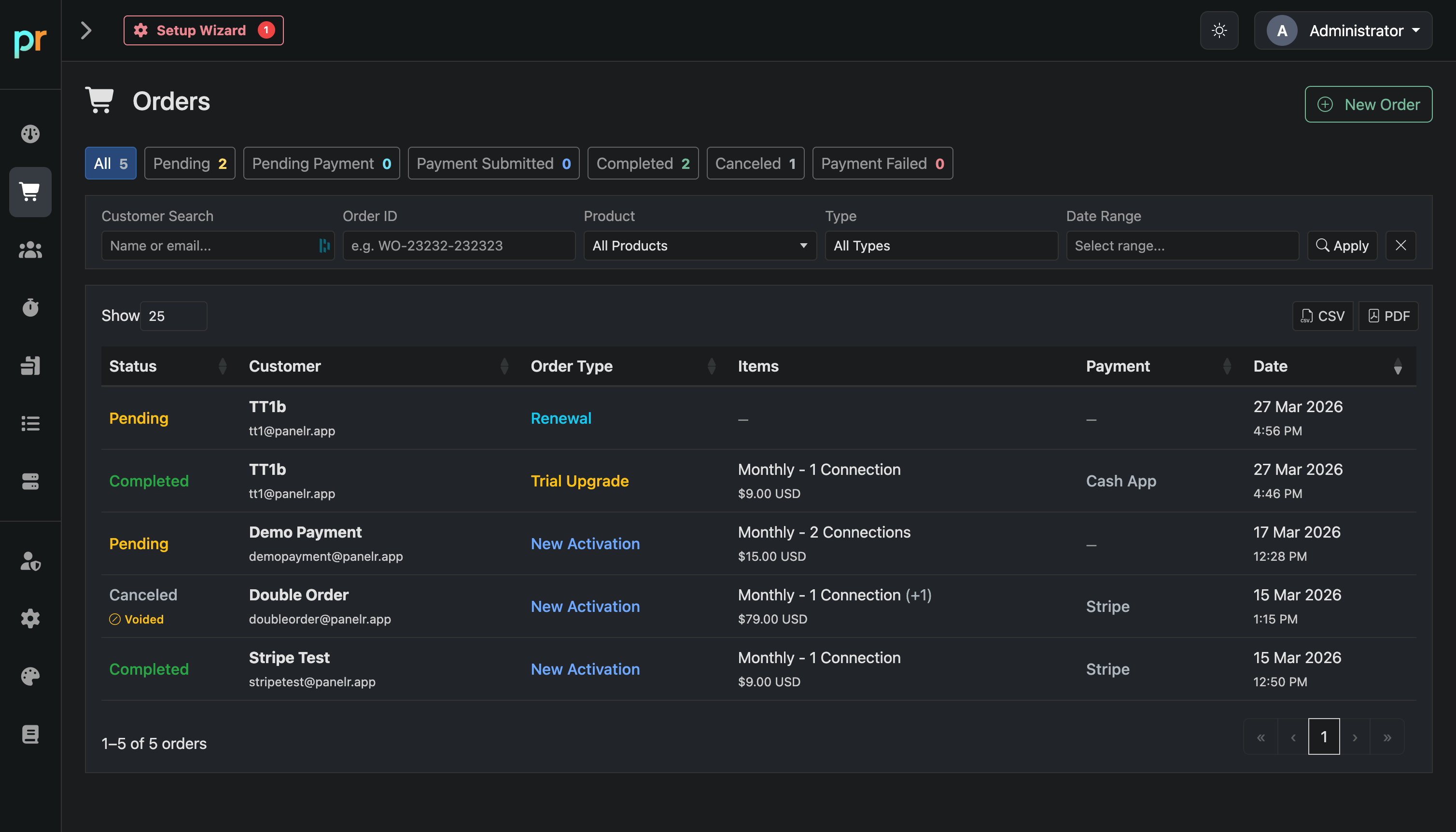
The Orders page is your central view of all transactions in Panelr. It tracks every purchase, renewal, and upgrade made through your website, bots, or manual entry.
Use this page to monitor payment activity, track order status, and manage customer transactions.
Overview
At the top, you’ll see summary counts for:
- All
- Pending
- Pending Payment
- Payment Submitted
- Completed
- Canceled
- Payment Failed
These provide a quick snapshot of your order pipeline.
Filtering and Search
Customer Search
Search by customer name or email.
Order ID
Search for a specific order using its ID.
Product
Filter by product.
Type
Filter by order type (New Activation, Renewal, Trial Upgrade).
Date Range
Filter orders by date.
Table Columns
Status
Current state of the order (Pending, Completed, Canceled, etc.).
Customer
Name and email associated with the order.
Order Type
Type of transaction such as new activation, renewal, or upgrade.
Items
Product and pricing details.
Payment
Payment method used or status.
Date
When the order was created.
How to Use It
- Track all incoming orders and payments
- Monitor pending or failed transactions
- Review completed purchases
- Search for specific customers or orders
- Export records using CSV or PDF
Use the New Order button to create an order manually.
This page gives you full visibility into your transaction flow and customer purchases.