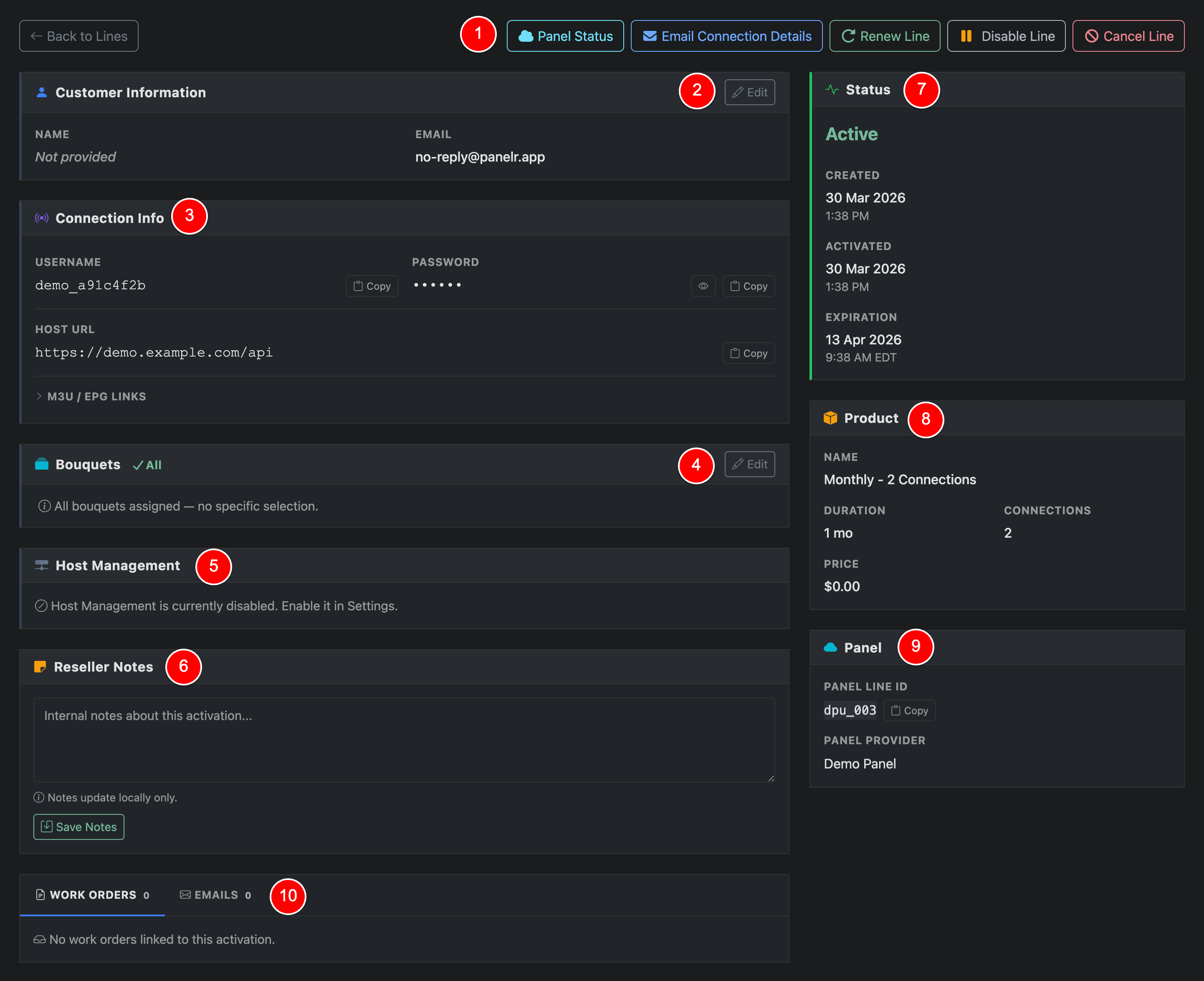
This page is where you view and manage an individual line. It gives you full control over a customer’s subscription, connection details, and lifecycle.
Top Actions (1)
Top Actions
Panel Status
Check the current status directly from the connected panel.
Email Connection Details
Send the customer their login and connection info.
Renew Line
Extend the subscription. This will create a new work order.
Disable Line
Temporarily suspend access without canceling if the connected panel supports the action.
Cancel Line
Permanently cancel the line.
Customer Information (2)
Customer Information
View and update the customer’s name and email associated with the line. Clicking the 'edit' button will open a modal to perform edits to customer name, email, phone, and address.
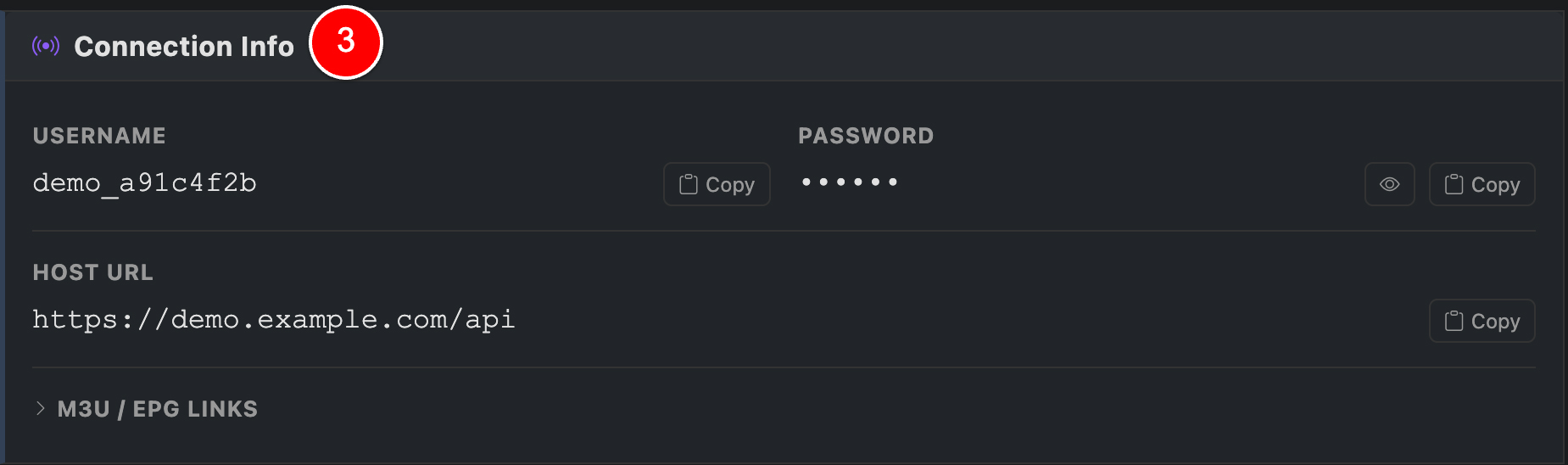
Connection Info (3)
Connection Info
Contains the credentials and access details for the line.
If you have an editor configured, editor credentials will be displayed here.
Username and Password
Used to log into apps or players.
Host URL
Server endpoint for connection.
M3U / EPG Links
Expandable section with playlist and guide links.
All fields can be copied for quick sharing.
Bouquets (4)
Bouquets
Shows which bouquets (or editor categories) are assigned.
If you have an editor configured, editor categories replace panel provided bouquets. Updates made here will sync to the editor automatically.
Host Management (5)
Hosts
Displays host assignment if enabled. This allows you to control which server a line is tied to. If disabled, this section will be inactive.
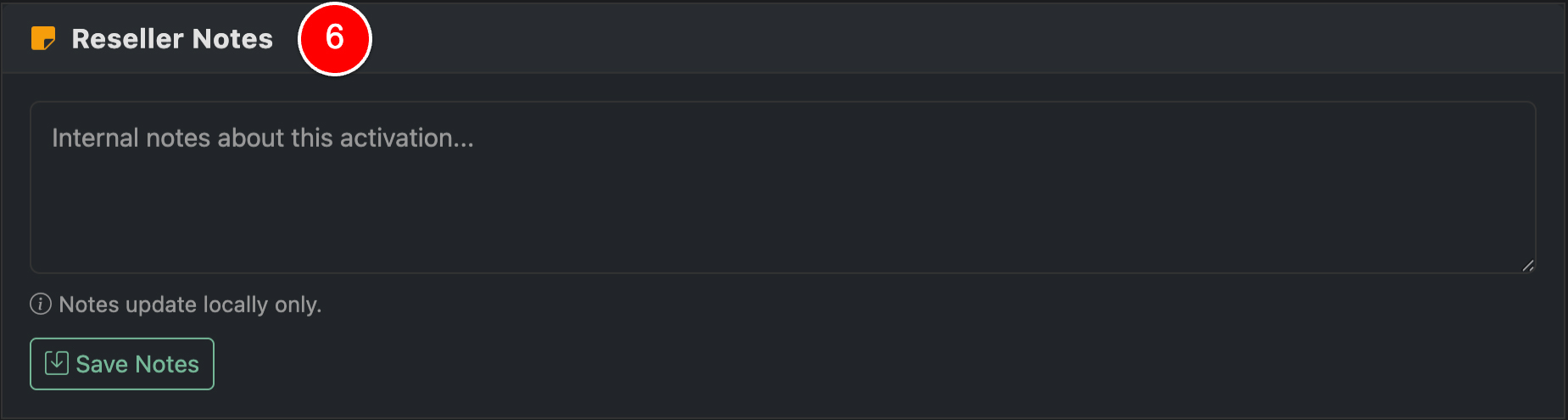
Reseller Notes (6)
Reseller Notes
Internal notes for this line. Not visible to customers. Use this to track issues, special handling, or context. Notes are stored locally.
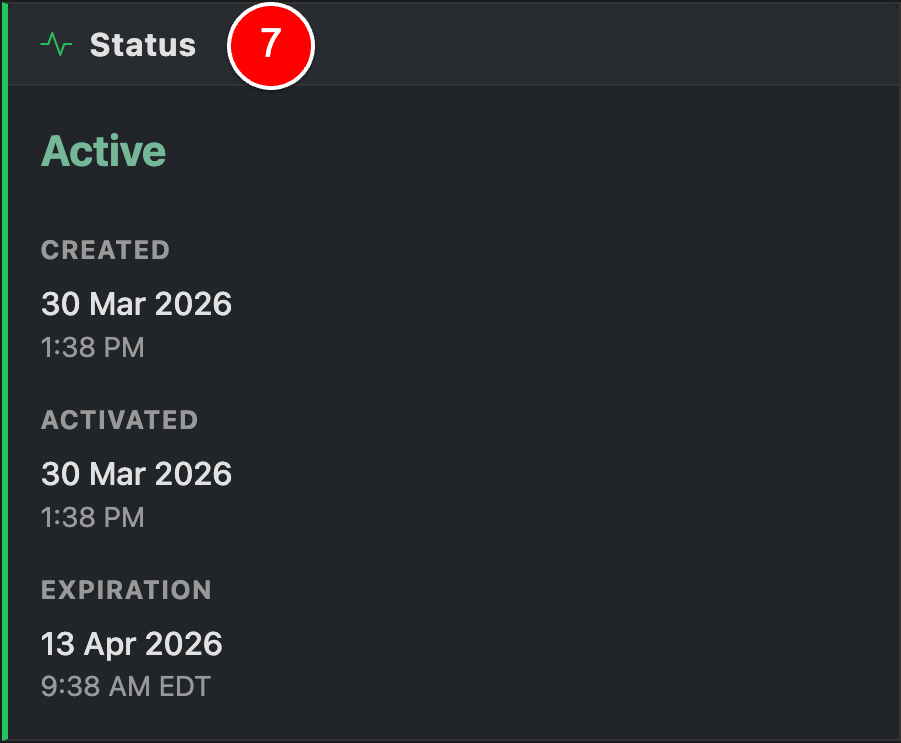
Status Panel (7)
Line Status
Displays the current state of the line:
Active, Trial Active, Suspended, Expired, or Canceled
Created date
Activation date
Expiration date
Indicator if line is a trial conversion
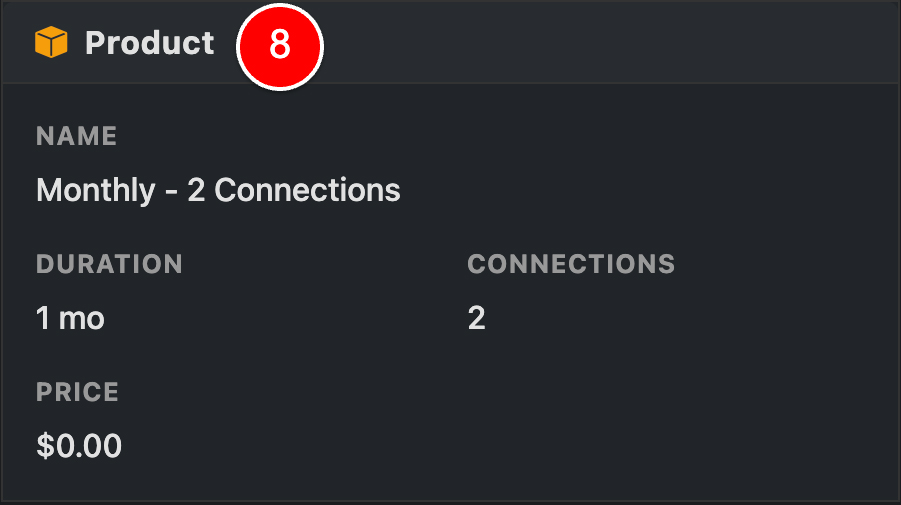
Product (8)
Assigned Product
Shows the assigned product, including duration, connection count, and price.
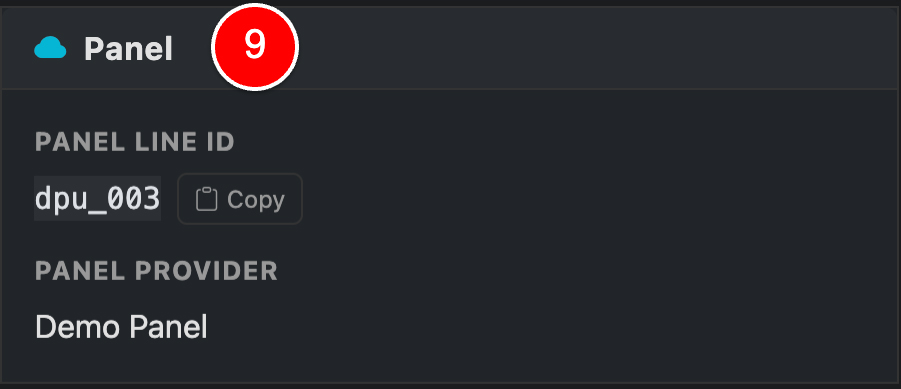
Panel (9)
Panel Sync
Displays the panel provider's internal line id, username. If an editor is configured, the ID for this line in the editor will be displayed as well.
Work Orders & Emails (10)
Work Orders & Emails
Tracks activity related to the line.
Work Orders
Background tasks such as activations, renewals, or sync actions.