Migrating Lines
Migrate Multiple Users Between Hosts
Hosts allow you to distribute users across different connection URLs. If a host reaches capacity or needs to be retired, you can migrate users to another host.
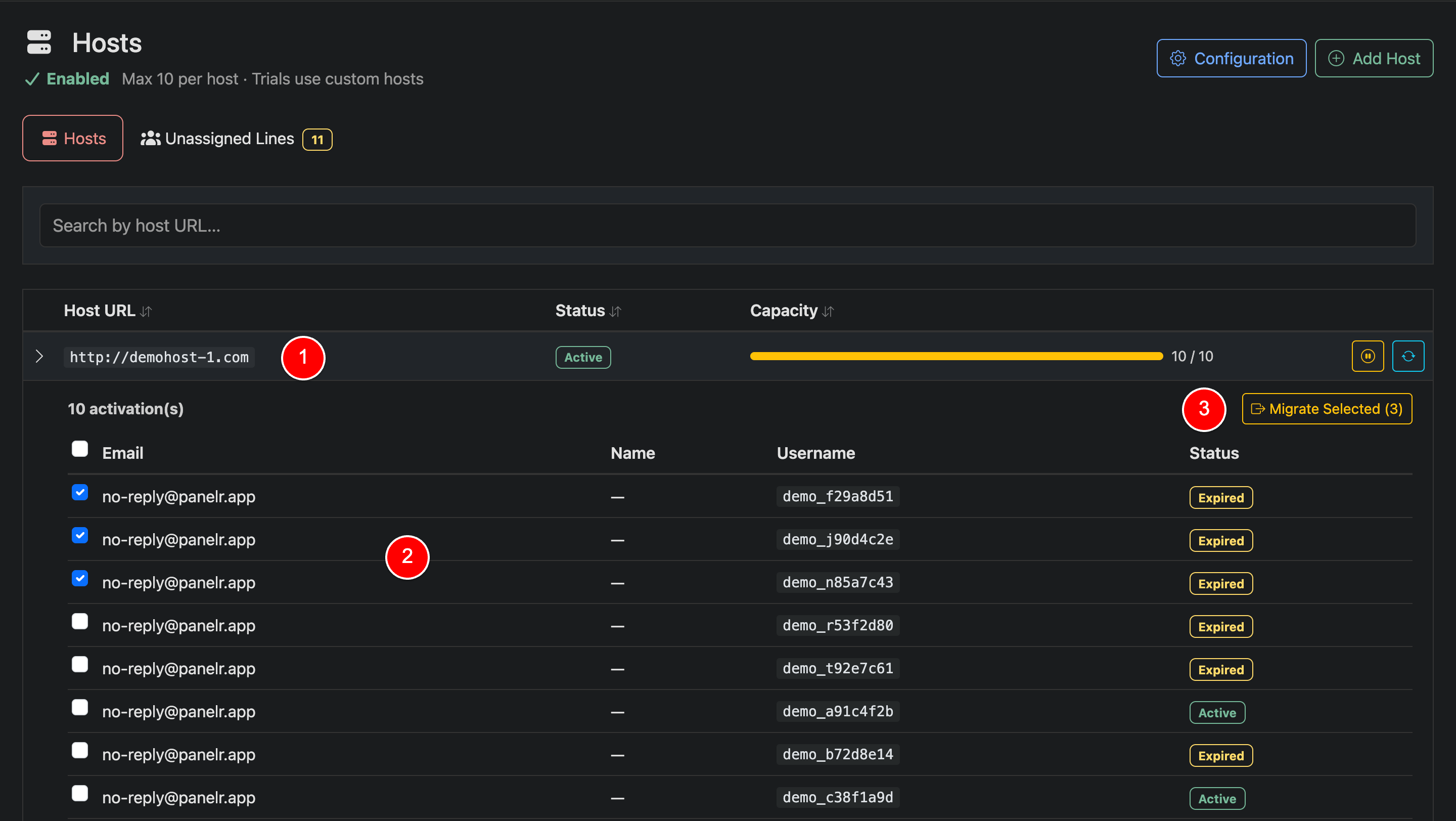
Expand a Host (1)
Click a host row to expand it and view all users (activations) currently assigned to that host.
Select Users (2)
Use the checkboxes to select one or more users you want to migrate. You can select individual users or multiple at once.
Migrate Selected (3)
Click “Migrate Selected”. You will be prompted to:
- Choose the destination host
- Optionally send updated connection details to affected customers
Once confirmed, the selected users will be reassigned to the new host.
Migrate a Single User Between Hosts
To migrate a single user to a new host, please refer to the Edit Line documentation.