Completed work orders can be Voided or placed into Dispute by an administrator. If you are using automatic payment methods (API), disputes initiated by the customer (e.g. chargebacks) are detected and handled automatically by the system.
Void vs Dispute
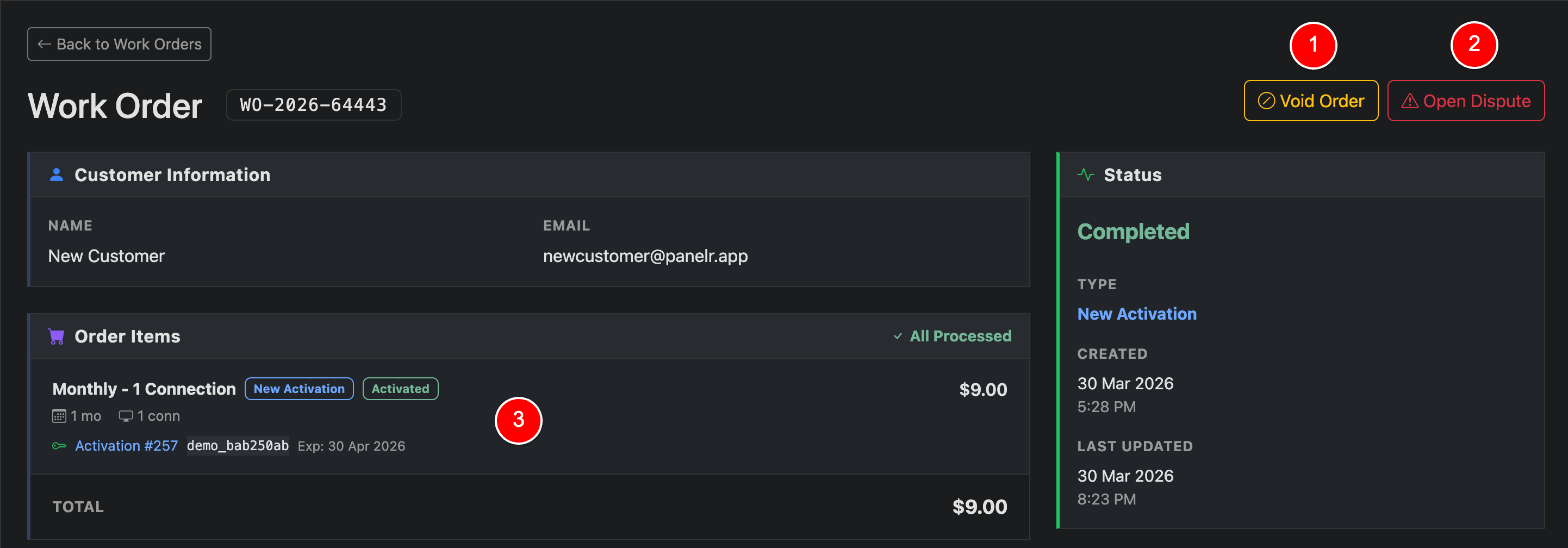
Void Order (1)
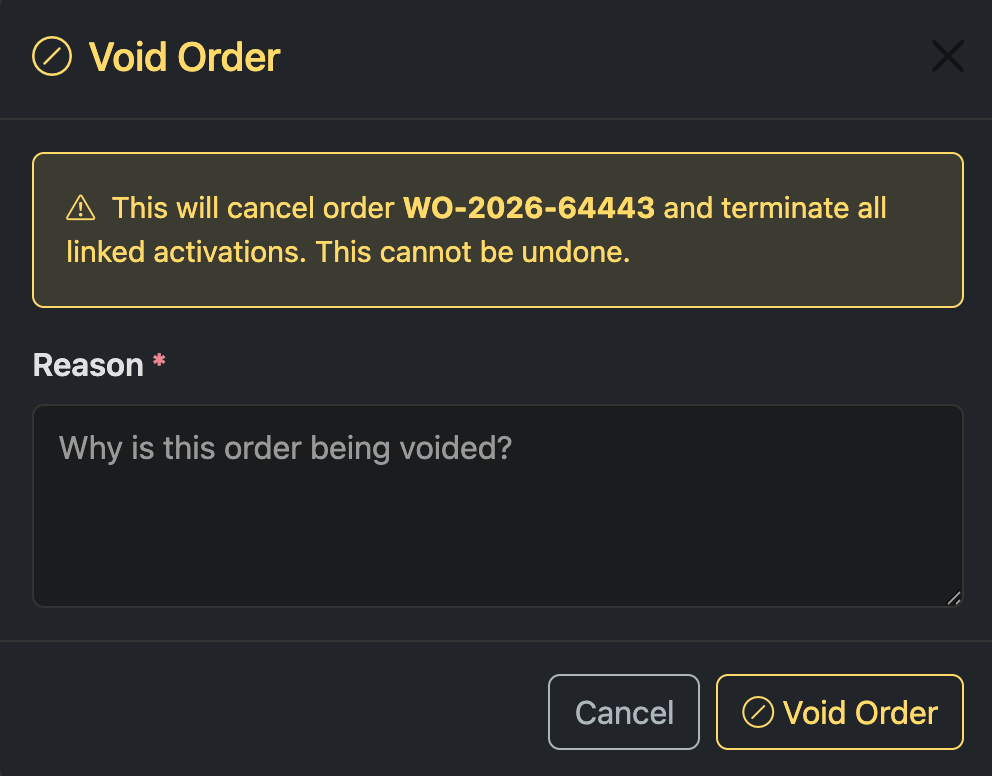
Void Order Modal
A void is final. The order will be canceled and all linked activations will be terminated.
After clicking Void Order, a confirmation modal will appear. You must enter a reason for the void, then confirm to proceed. This action cannot be undone.
Open Dispute (2)
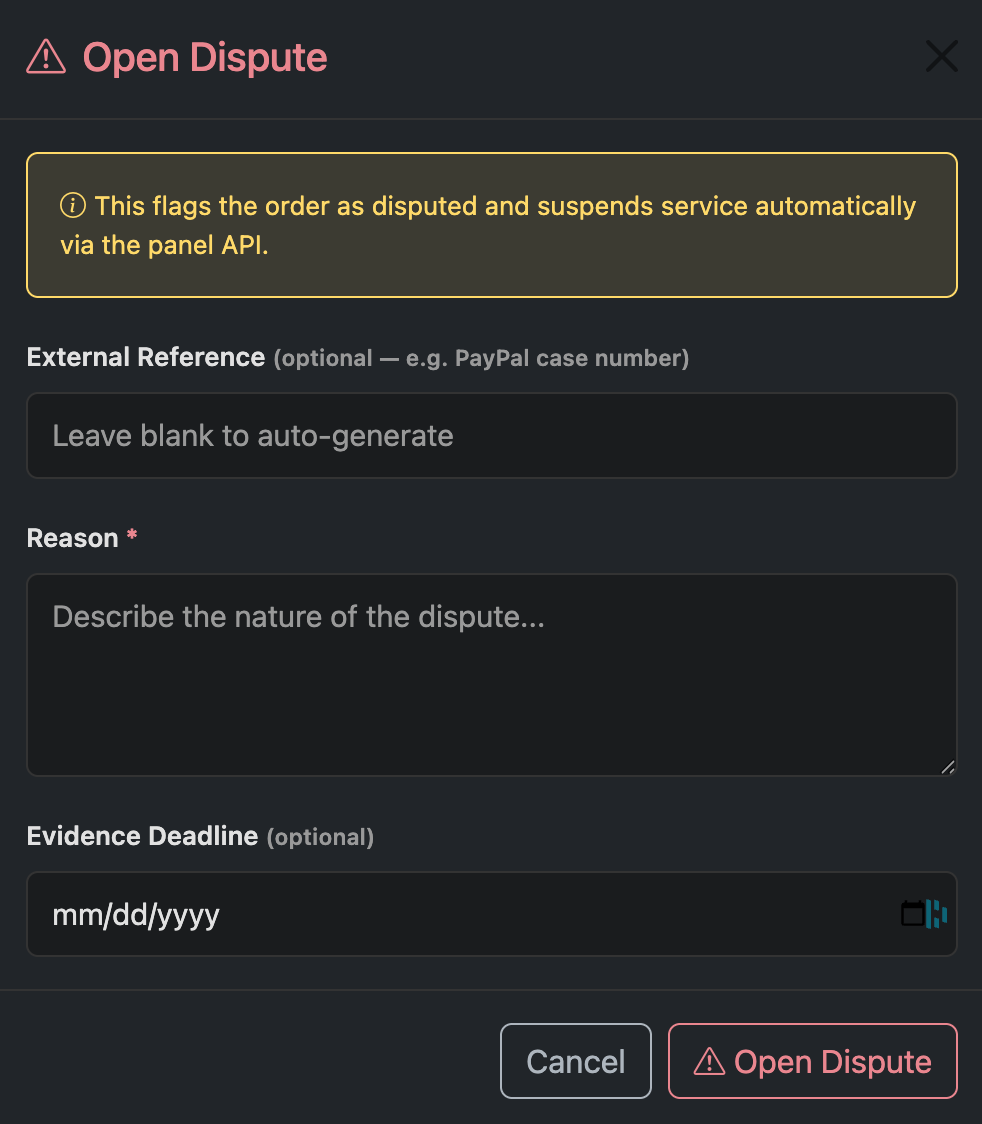
Open a Dispute
A dispute flags the order as disputed and suspends service.
After clicking Open Dispute, a modal will appear. Enter a reason for the dispute, and optionally include an external reference (such as a PayPal case number) and evidence deadline, then confirm to proceed.
What happens to lines:
If your panel plugin supports termination or line toggle (enable/disable), these actions are performed automatically.
If not, you will be prompted to confirm that you have manually completed the required action (termination or suspension) in your panel before the order can be finalized.
After processing
Once a void or dispute is applied, the order status and associated line states will update accordingly. Activated items will reflect their final state, and any linked lines can be accessed directly from the order (3).
Managing an Active Dispute
Managing an Active Dispute
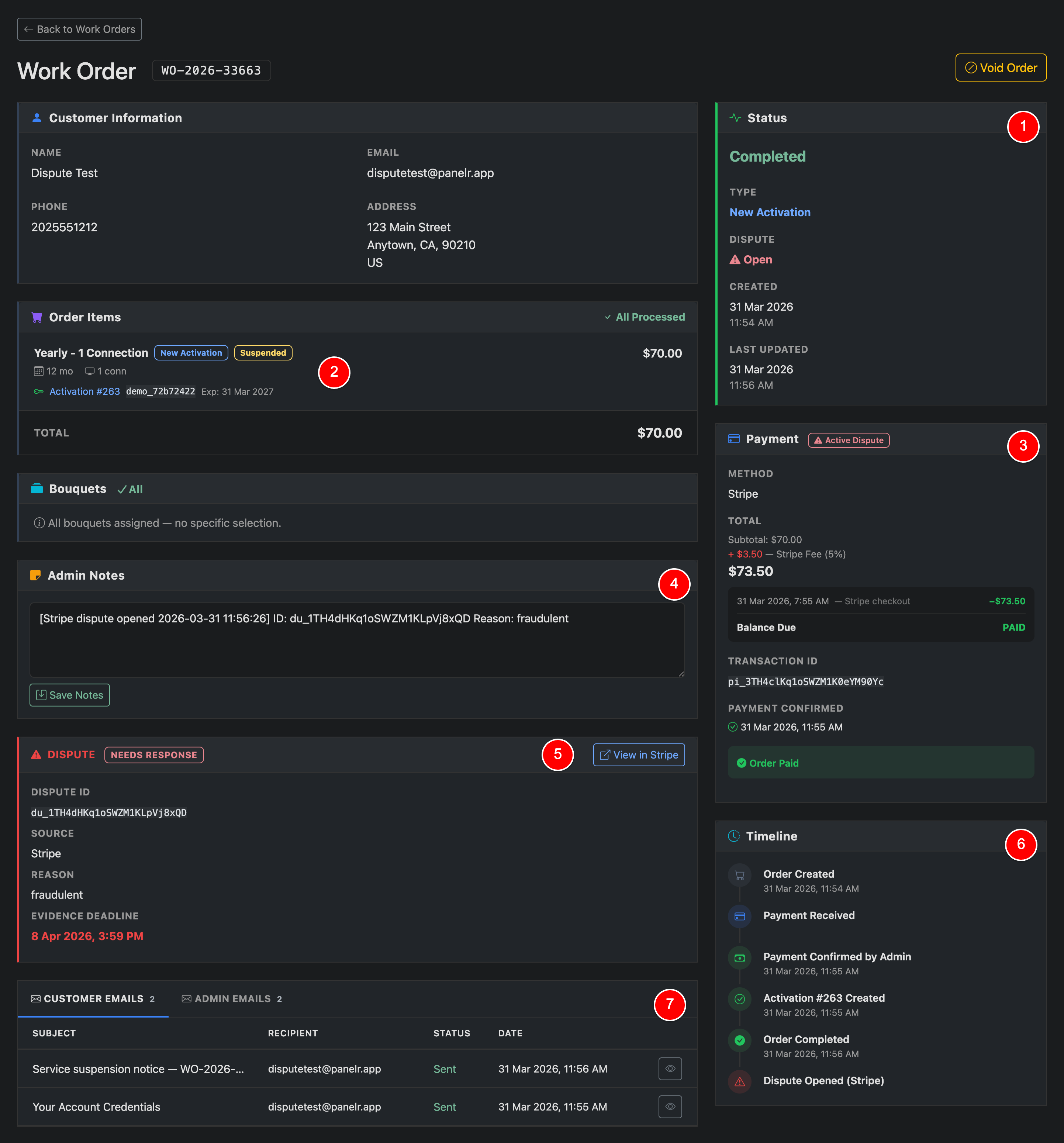
When a dispute is active, the work order and related line(s) reflect the current state across the system.
Status (1)
The order remains Completed, but shows an active dispute indicator. This allows you to track both fulfillment and dispute state separately.
Order Items (2)
Affected line(s) are Suspended while the dispute is open.
Payment (3)
The payment section is flagged with Active Dispute and includes transaction details for reference.
Admin Notes (4)
Dispute events and details are logged automatically. You can add internal notes for tracking or coordination.
Dispute Details (5)
View key information including:
Dispute ID
Source
Reason
Evidence Deadline
Link to manage the dispute in the payment provider's dashboard
Timeline (6)
A full audit trail shows when the dispute was opened and all related order activity.
Customer Emails (7)
Track all emails sent to the customer, including notifications and service updates.
While the dispute is open, service remains suspended.
If your panel supports enable/disable and termination via API, resolution is handled automatically: