
Settings → Security limits wrong sign-ins, adds a bot check to your forms, and tells Panelr which proxy addresses to trust.
Sign-in limits
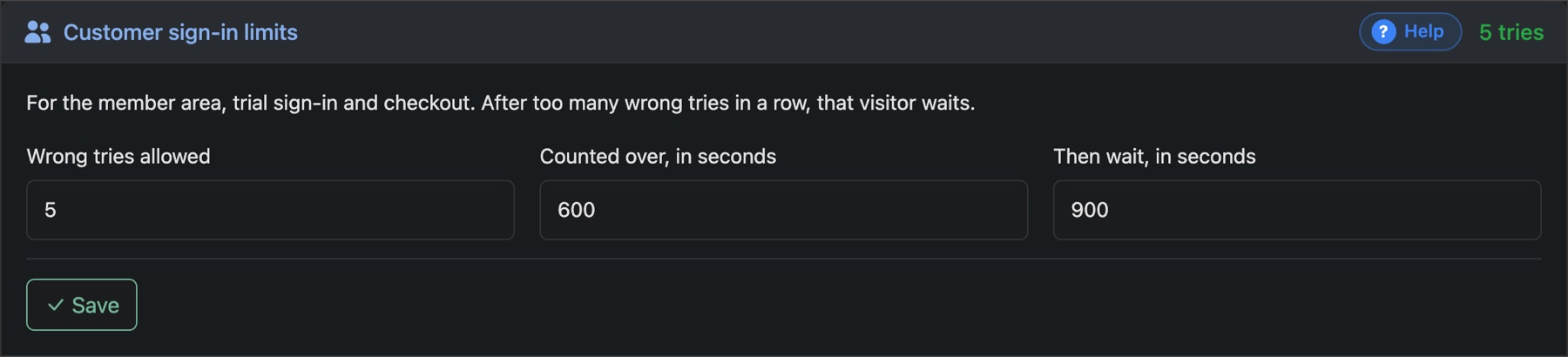
After too many wrong passwords in a row, that visitor has to wait. There's one set of limits for customers (your member area, trial sign-in and checkout) and one for your admin.
- Wrong tries allowed: how many failures before the wait starts.
- Counted over, in seconds: failures older than this are forgotten.
- Then wait, in seconds: how long the wait lasts.
The admin limits apply to you too, so leave yourself room.
Cloudflare Turnstile
A bot check from Cloudflare. Visitors see a small box that ticks itself, and scripts can't get past it. It covers the trial form, sign-in pages and checkout. Your site doesn't need to be on Cloudflare.
- At dash.cloudflare.com, open Turnstile, press Add widget, add your domain and save.
- In Panelr, switch the Turnstile card on and paste the Site key and Secret key.
- Press Save. Cloudflare checks the keys first, so a typo can't lock you out of your own forms.
Trusted proxy addresses
Only needed if a proxy or load balancer sits in front of your site. List its addresses, one per line, so Panelr can see each visitor's real address. Cloudflare is already trusted. Not behind a proxy? Leave it empty.