
Bouquets are the channel packages on your panel, like "Sports" or "Kids". Panelr reads them on every sync, per service, and shows them on Bouquets.
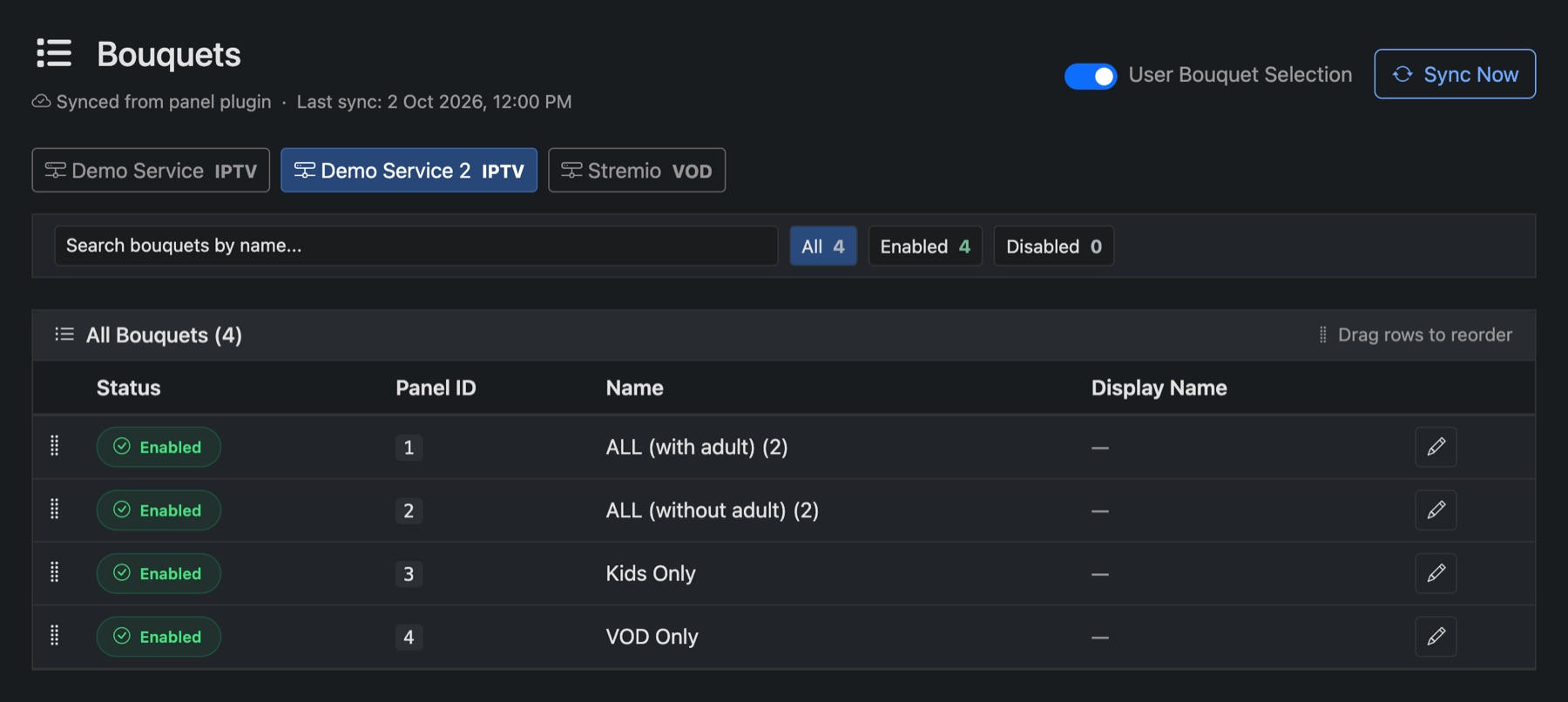
- Pick the service along the top.
- Click a bouquet's status to enable or disable it. Customers only see enabled bouquets.
- Click the pencil to give it a Display Name, the name customers see.
- Drag rows to change the order.
Who chooses the bouquets
On Settings → Panel Plugin, each service's Bouquets section sets:
- This service uses bouquets: switch off for services with no channel packages, such as VOD or VPN.
- Default bouquet for new activations: what a new line gets.
- Let customers choose their own bouquets: customers can change them from their account.
You can also change a single line's bouquets on its page under Bouquets → Edit.