
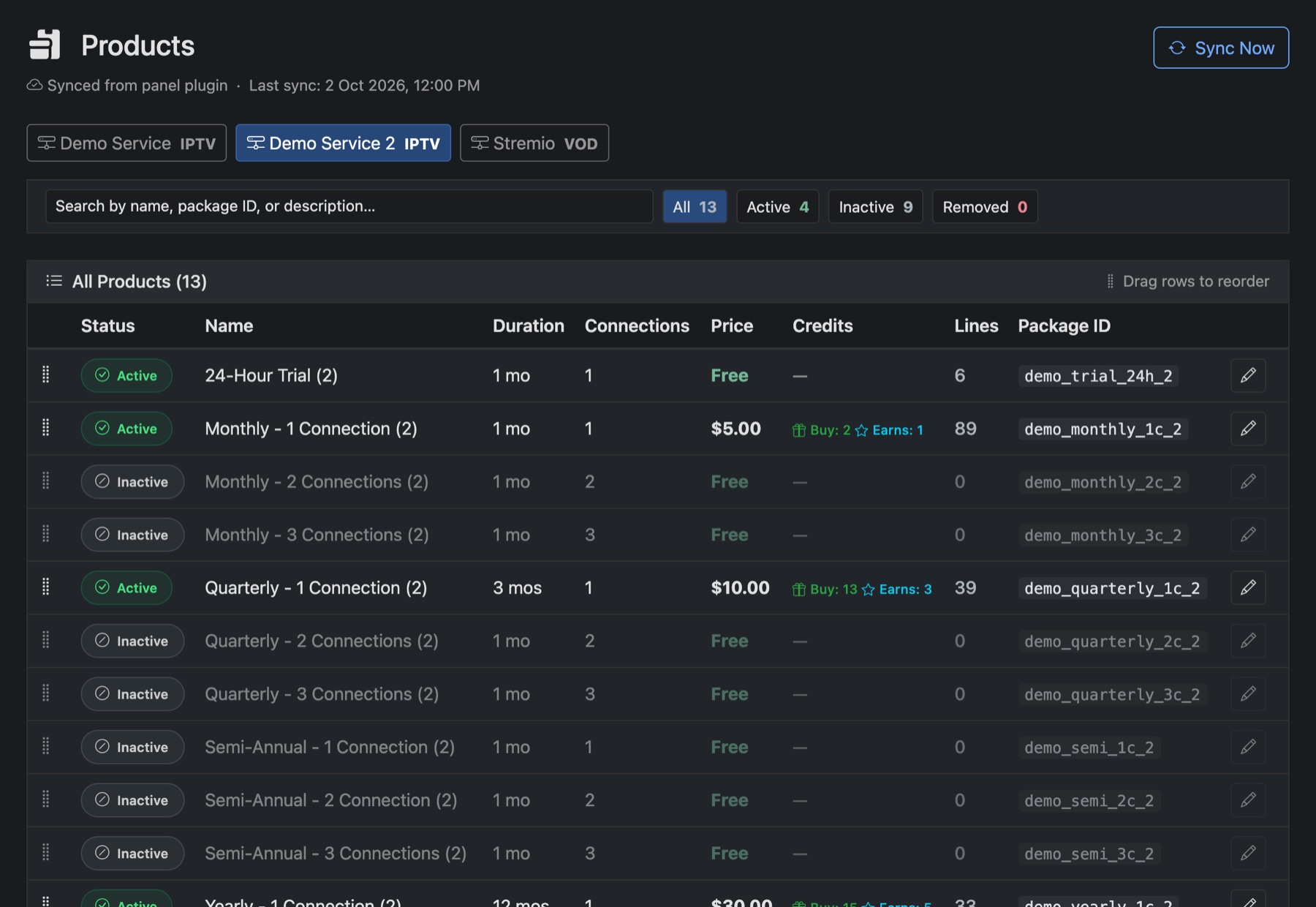
Your plans come from your panel. Panelr reads them on every sync. You decide which ones you sell, what they cost and what customers call them. Each service has its own list on Products.
Choose what you sell
- Pick the service along the top.
- Click a plan's status to switch it between Active and Inactive. Only active plans are offered to customers.
- Sync Now reads the plans from the panel again. Plans the panel no longer has show as Removed.
- Drag rows to change the order customers see them in. A sync puts them back in the panel's order.
Set the price and name
Click the pencil on a plan to open it.
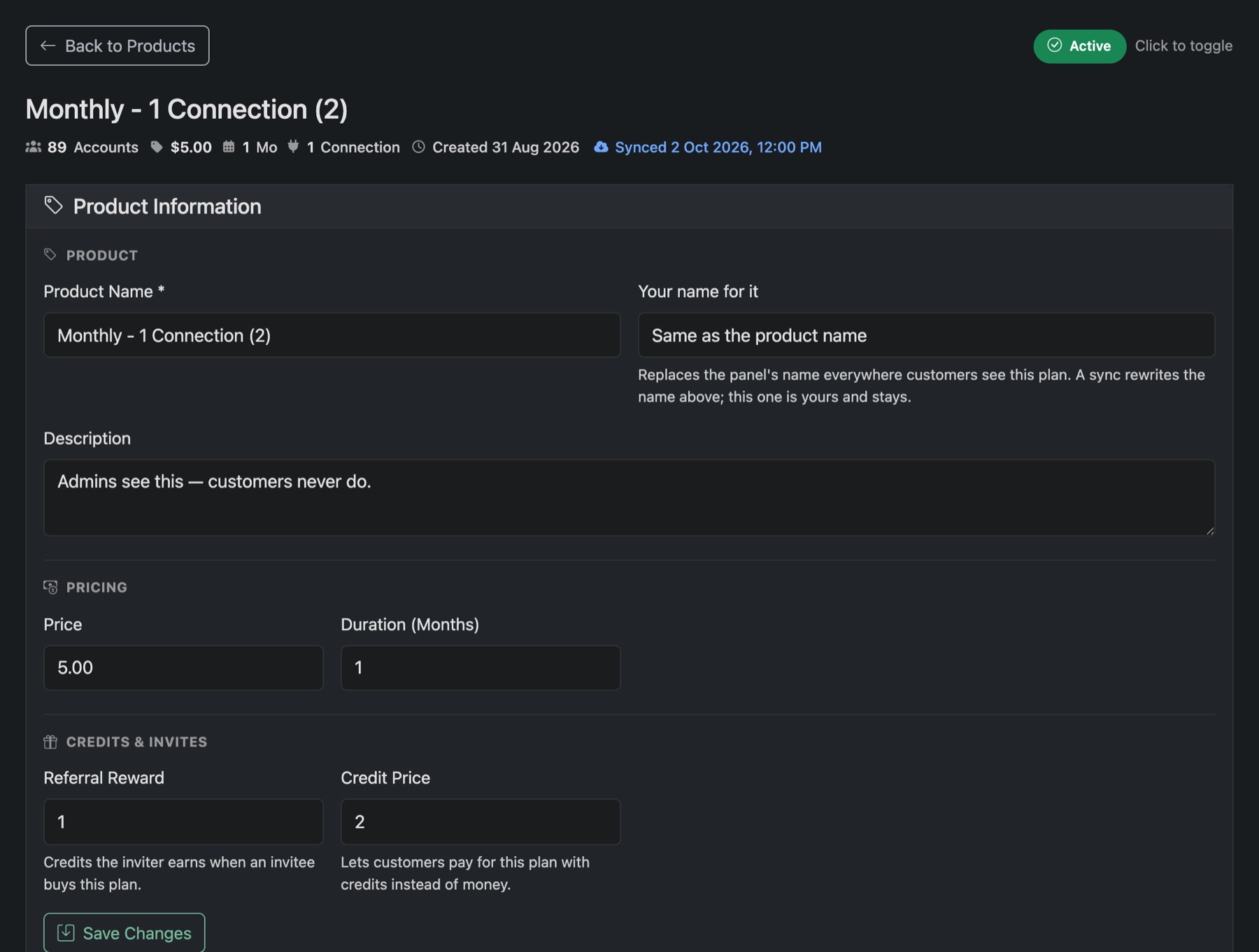
- Your name for it: what customers see instead of the panel's name. A sync never changes it.
- Description, Price and Duration (Months).
- Referral Reward: credits the inviter earns when someone they invited buys this plan.
- Credit Price: lets customers pay for this plan with credits instead of money.
Press Save Changes. The Panel Information box below shows what the panel itself says about the plan. It's read-only.
The page also lists every line on the plan.