
A line is one subscription on a panel: a username, a password and an expiry date. Lines in the admin menu lists every line on every service.
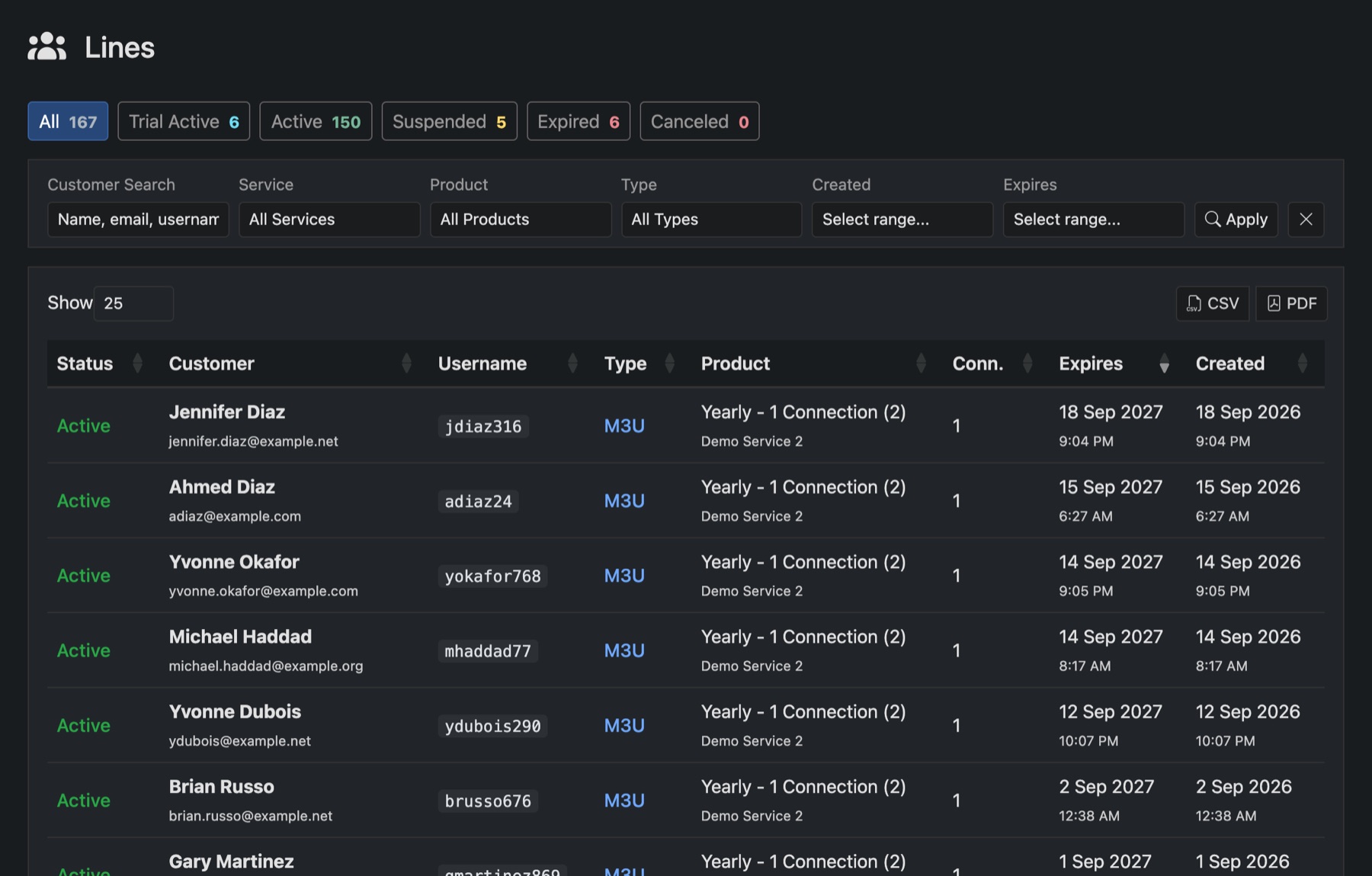
Finding lines
- The tabs count lines by status: Trial Active, Active, Suspended, Expired and Canceled.
- Search by customer, username or email. Filter by service, product, type, and when it was created or expires.
- Click a column heading to sort. CSV and PDF export what you see.
A line's page
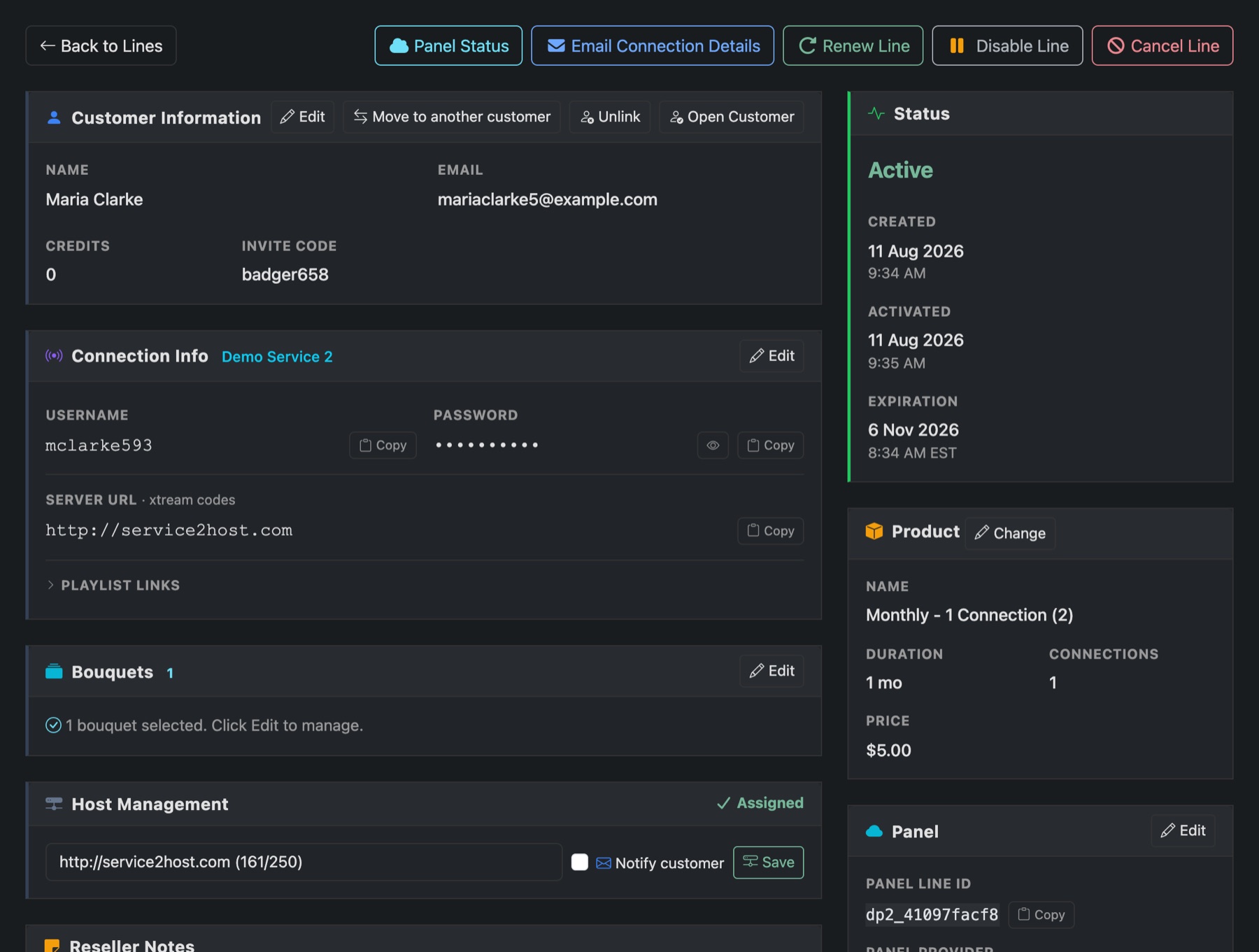
- Connection Info: the username, password, server address and playlist links, each with Copy.
- Bouquets: the channel packages on the line. Edit changes them on the panel.
- Host Management: which of your hosts the line uses. Tick Notify customer to email them if you change it.
- Status and Product: when it started, when it expires, and its plan. Change corrects the plan Panelr has on record. It doesn't change the line on the panel or its expiry date.
- The tabs at the bottom list the line's orders, the emails it sent and its support tickets.
The buttons along the top
- Panel Status: what the panel says about the line right now.
- Email Connection Details: sends the customer their details and how to connect again.
- Renew Line: makes a renewal order for it. For a trial, the button is Convert Trial.
- Disable Line: suspends it on the panel. Enable Line turns it back on.
- Cancel Line: ends it on the panel and marks it canceled.