
Customers pay with the methods you switch on. Card and crypto services confirm payments on their own and the line is made straight away. Manual methods, like Zelle or Cash App, wait for you to check the money arrived. All of this is on Settings → Payments.
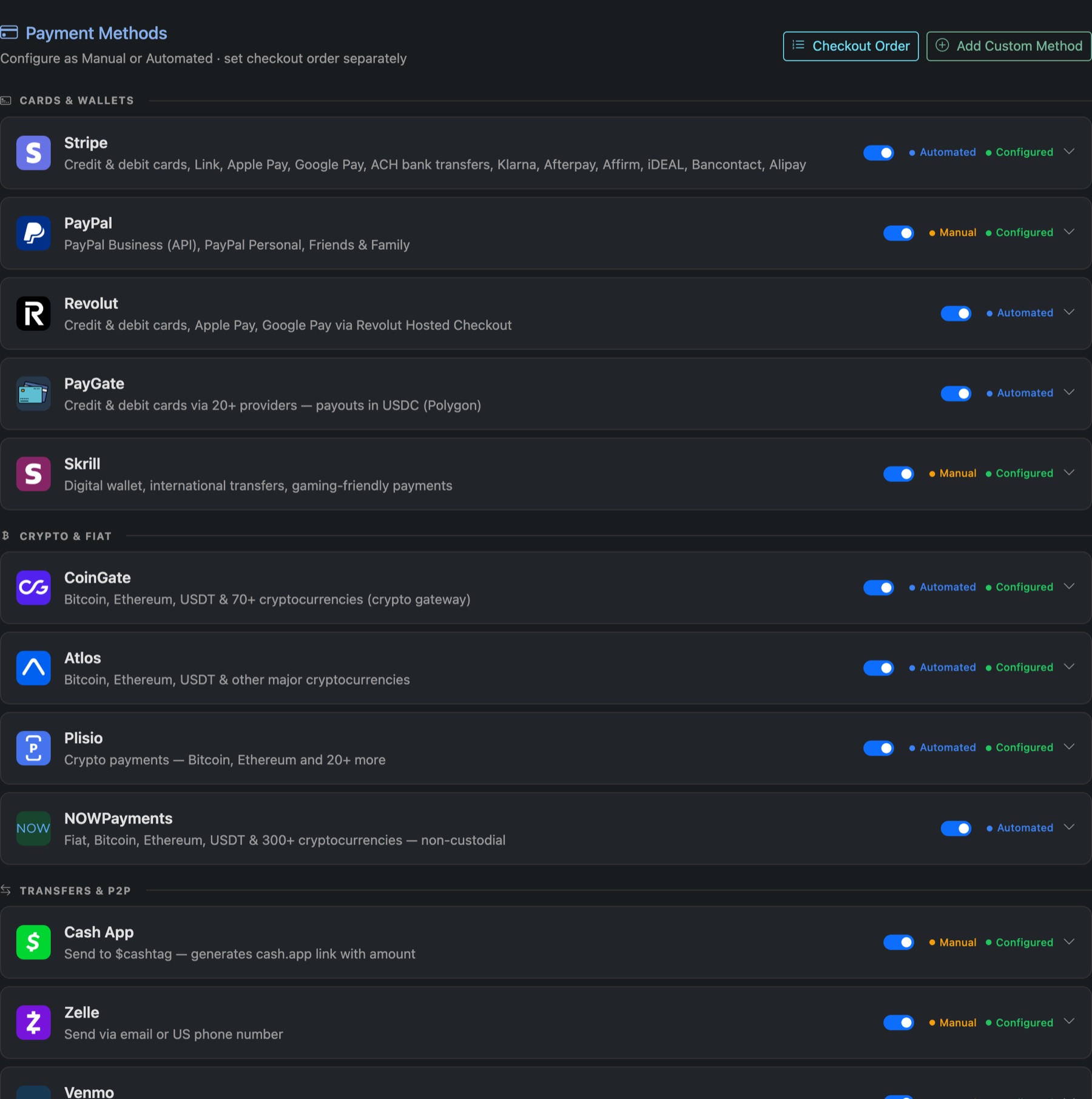
What's there
- Cards & wallets: Stripe, PayPal, Revolut, PayGate, Skrill.
- Crypto: CoinGate, Atlos, Plisio, NOWPayments.
- Transfers: Cash App, Zelle, Venmo.
- WooCommerce: customers pay on your WordPress store. See below.
- Add Custom Method for anything else, such as a bank transfer.
Set one up
- Click the method to open it.
- Switch Status to enabled.
- Fill in its configuration: API keys for automated services, or your handle, email or account details for manual ones.
- Press Save.
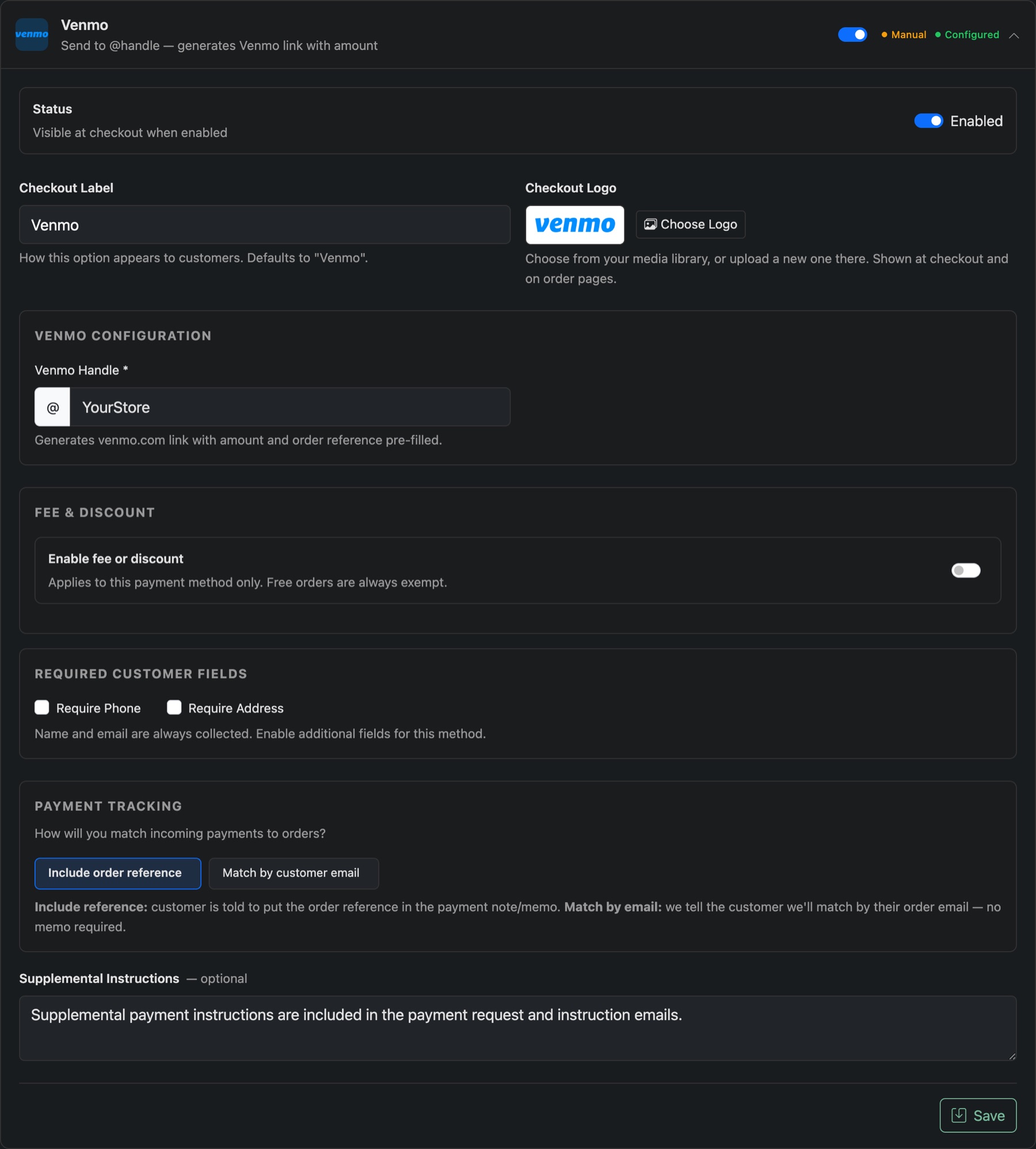
Each method can also
- Show its own Checkout Label and logo.
- Add a fee or a discount, fixed or a percentage, for that method only.
- Ask for the customer's phone or address.
- For manual methods, choose how you'll match payments to orders: by an order reference in the payment note, or by the customer's email.
Take payment through WooCommerce
Keep selling on your Panelr site and let your WordPress store take the money. The customer builds their order on Panelr, picks WooCommerce at checkout, and pays on your store with any payment method it offers. The store tells Panelr the moment it's paid, and the line is made as usual.
- Connect your store first: Sell from WordPress. Panelr needs its address and a checkout page.
- Open the WooCommerce method on Settings → Payments and switch Status to enabled.
- Set its Checkout Label and logo, and the Message shown when a customer picks this method, such as "You'll be taken to our store to pay."
- Add a fee or discount if you want one, and press Save.
Nothing in Panelr has to match what the store accepts. If the store is disconnected, the method switches off until it's back.
Want a method you already use, like a card or Zelle, to be paid on the store instead? When your store is set to Takes payments only, each method has a Checkout choice: On Panelr or On the connected store.
Checkout Order sets the order customers see the methods in. For how manual payments are confirmed, see Confirm a manual payment.