
Each service has its own settings on Settings → Panel Plugin, on its tab. Every section has its own Save button, and each part can stay off.

- Pause sales: stops offering this service's plans and trial on your site, in the bots and over the API. Every line keeps running, and you can still make orders for it from the admin.
- Identity: the name customers see, and its category.
- Connection: your panel's API details.
- Bouquets: whether it uses bouquets, the default for new lines, and whether customers choose their own. See Bouquets.
- The trial for this service. See Set up trials.
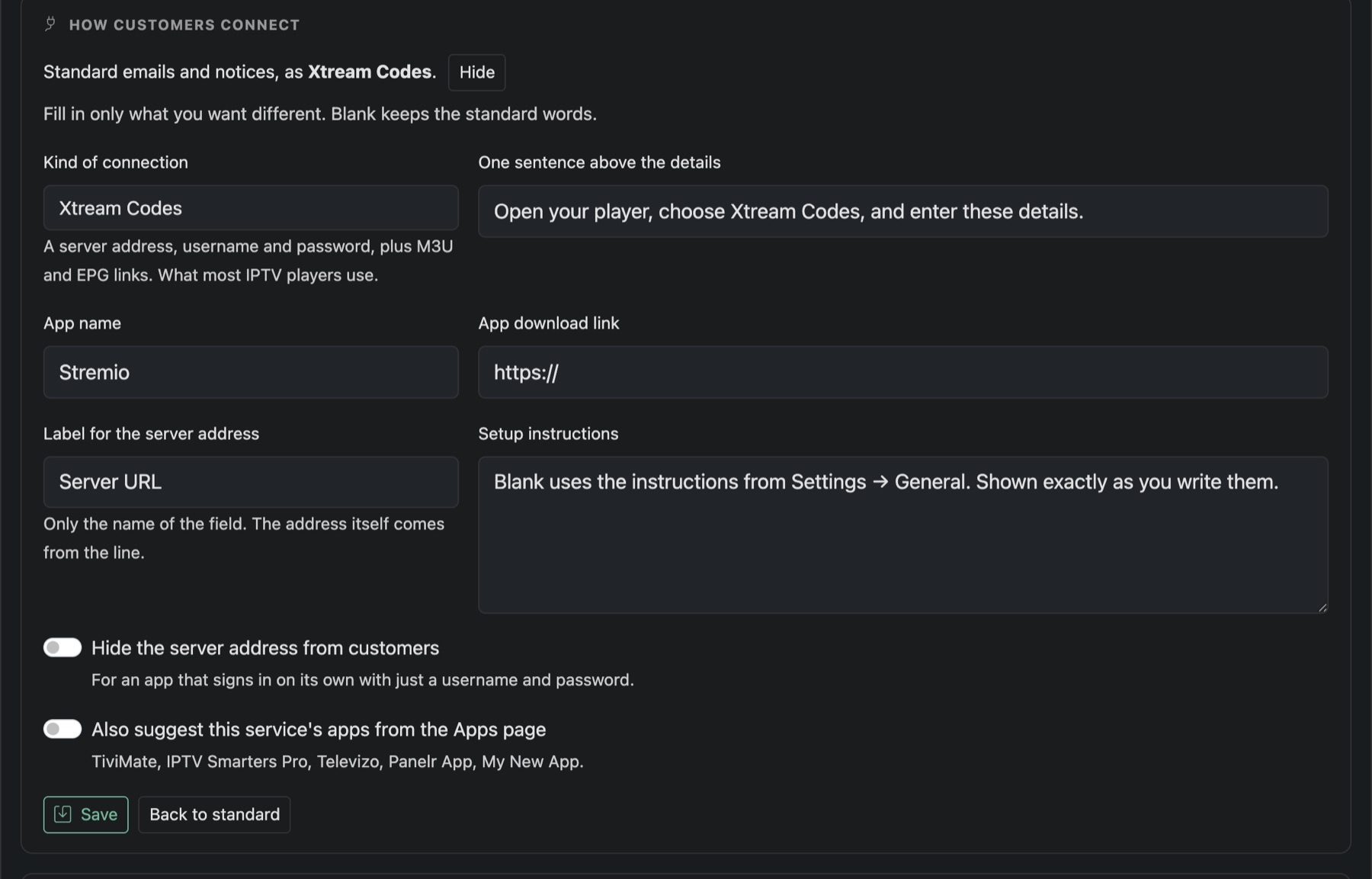
- How Customers Connect: the connection details in emails and the member area.
- Referral Rewards: whether this service's plans earn invite credits.
- Playlist Editor: see Connect a playlist editor.
- Sync: when each part last synced and what changed.
How customers connect
Press Change to set the Kind of connection: Xtream Codes, Playlist link, MAC address, App sign-in or Activation code. You can add a sentence above the details, an app name and download link, your own setup instructions, or hide the server address for apps that sign in with just a username and password. Blank fields keep the standard words.
Syncing
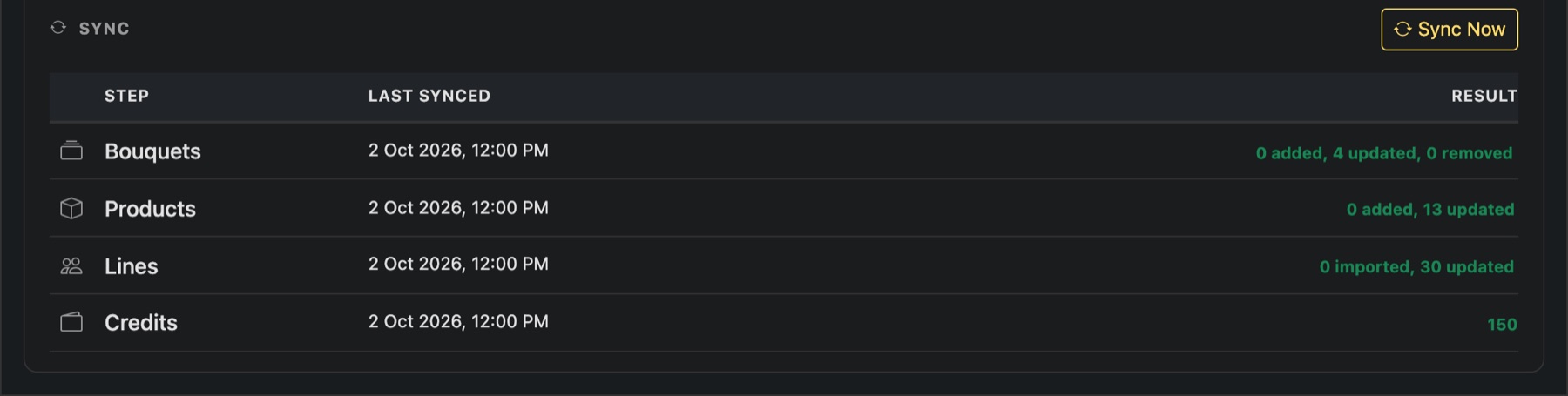
Panelr syncs every service on its own every eight hours. Sync Now runs it straight away.