
News is for telling customers what's new: channels added, maintenance, new ways to pay. Write a post once and choose where it goes.
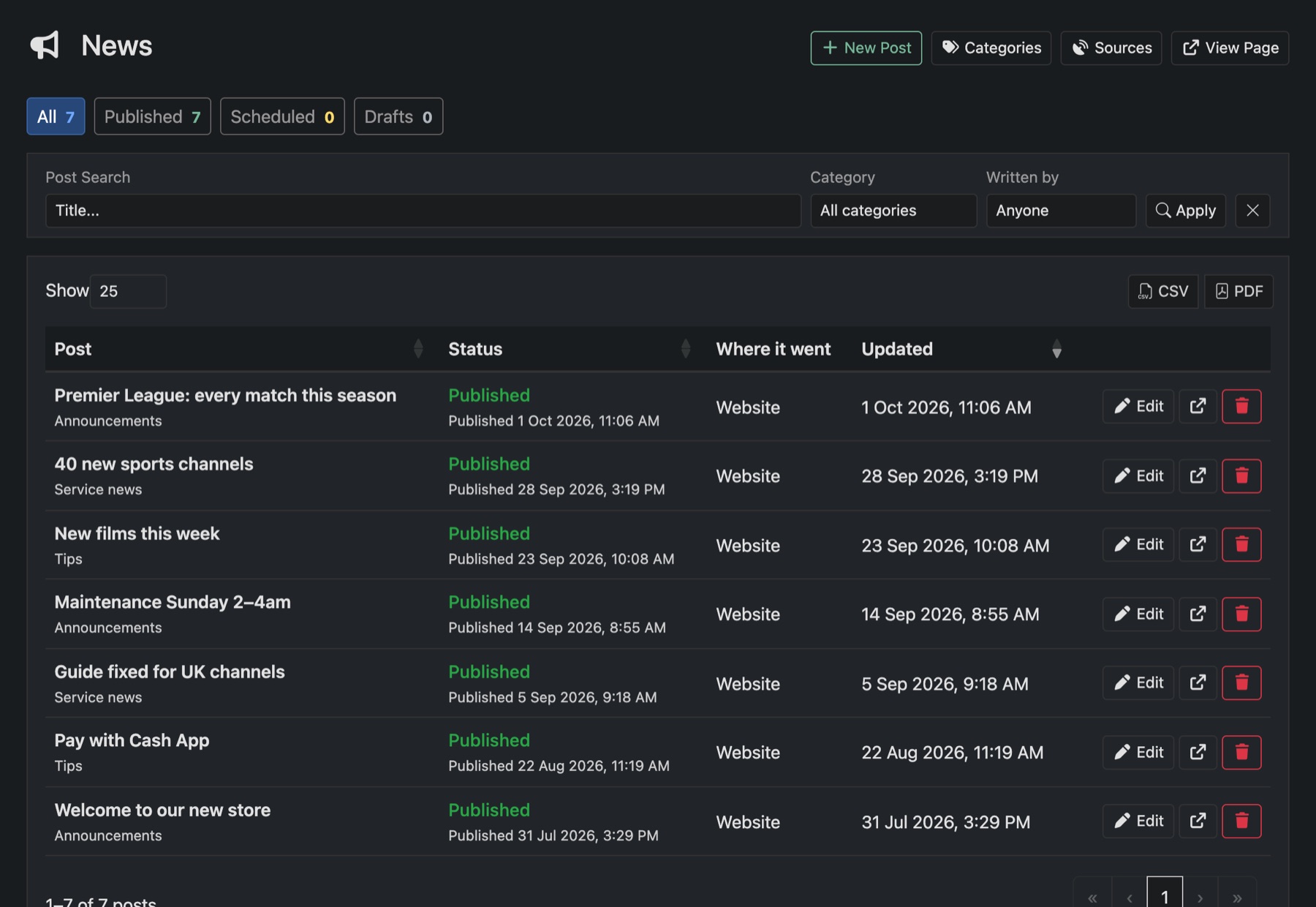
Write a post
- Go to News and press New Post.
- Write the title and the post. Add pictures, up to 12, or a link to a YouTube or Vimeo video.
- Under Where it goes, tick the places: Website, API feed, Discord, Telegram and Email.
- Pick a Category if you use them.
- Choose Publish, Keep as a draft or Publish at a set time, then press Save changes.
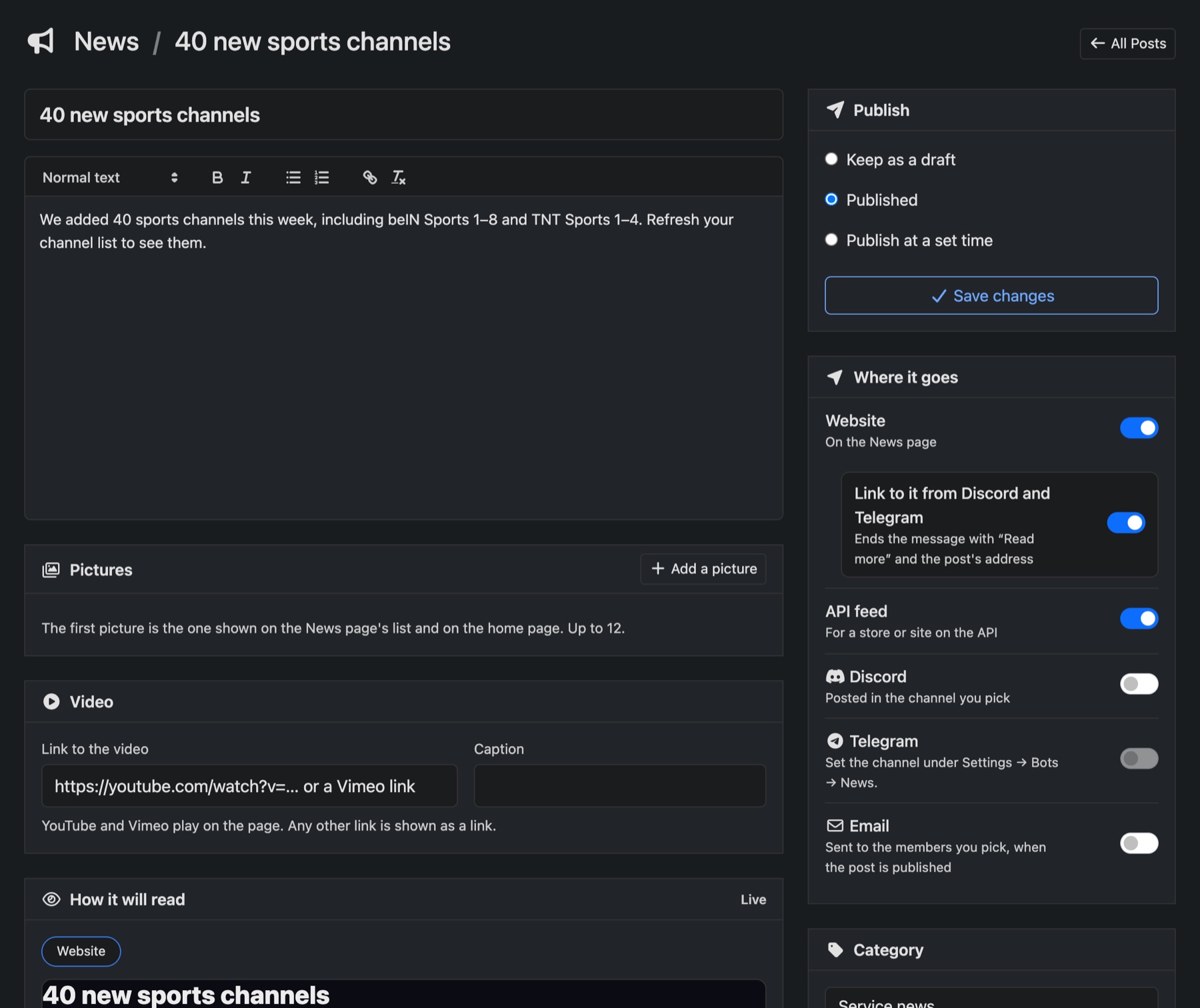
How it will read shows the post as it will look in each place before you send it.
Good to know
- Email sends to the members you pick, when the post is published.
- Telegram posts in the channel set under Settings → Bots → News. Discord posts in the channel you pick on the post.
- Editing a published post updates it in Discord and Telegram too. Deleting it removes it there.
- View Page opens your News page. Who can read it is set under Settings → Website → News page.