
Manual payments, like Zelle, Cash App, Venmo or a bank transfer, need you to check the money arrived. Card and crypto payments don't. They complete on their own.
How it goes
- The customer picks a manual method at checkout and sees your payment instructions.
- After paying, they enter their payment reference. The order moves to Payment Submitted and the dashboard shows it waiting.
- Check your account for the money.
- Open the order and press Process Payment.
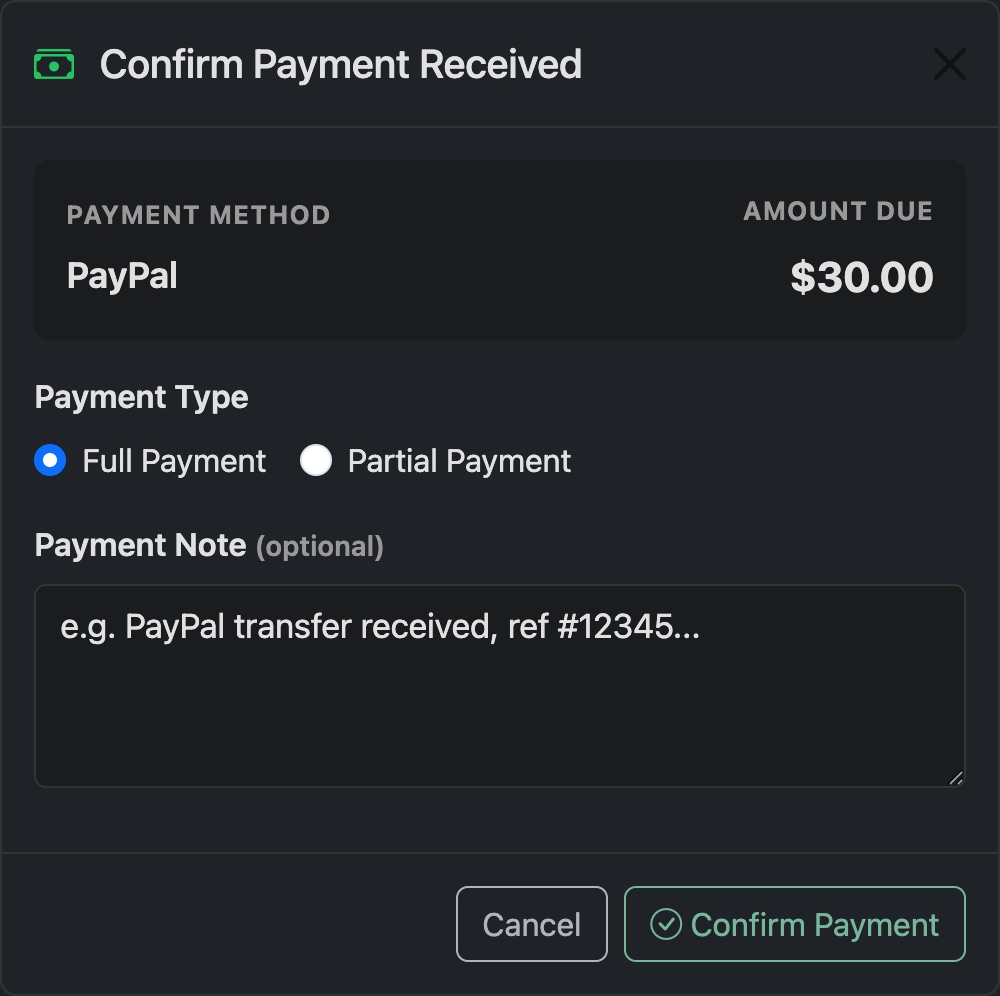
- Choose Full Payment, or Partial Payment with the amount you received. Add a note if you like. Press Confirm Payment.
- Press Activate on each item to make or renew the line.
- Press Finish Order. The customer gets one email with all their details.
Good to know
- A partial payment doesn't complete the order. The order goes back to waiting for payment so the customer can send the rest.
- Send Payment Request emails the customer a link to pay, or to tell you they've paid. Use it for orders you create yourself.
- An order sent to a card or crypto checkout that's never paid is cleared after 3 days. Manual orders stay until you deal with them.