
If your team lives in Telegram or Discord, you can answer tickets there. Every new ticket and every customer reply is posted to your staff chat with buttons to reply, change the status and the priority. Leave it off and answer from the admin as normal.
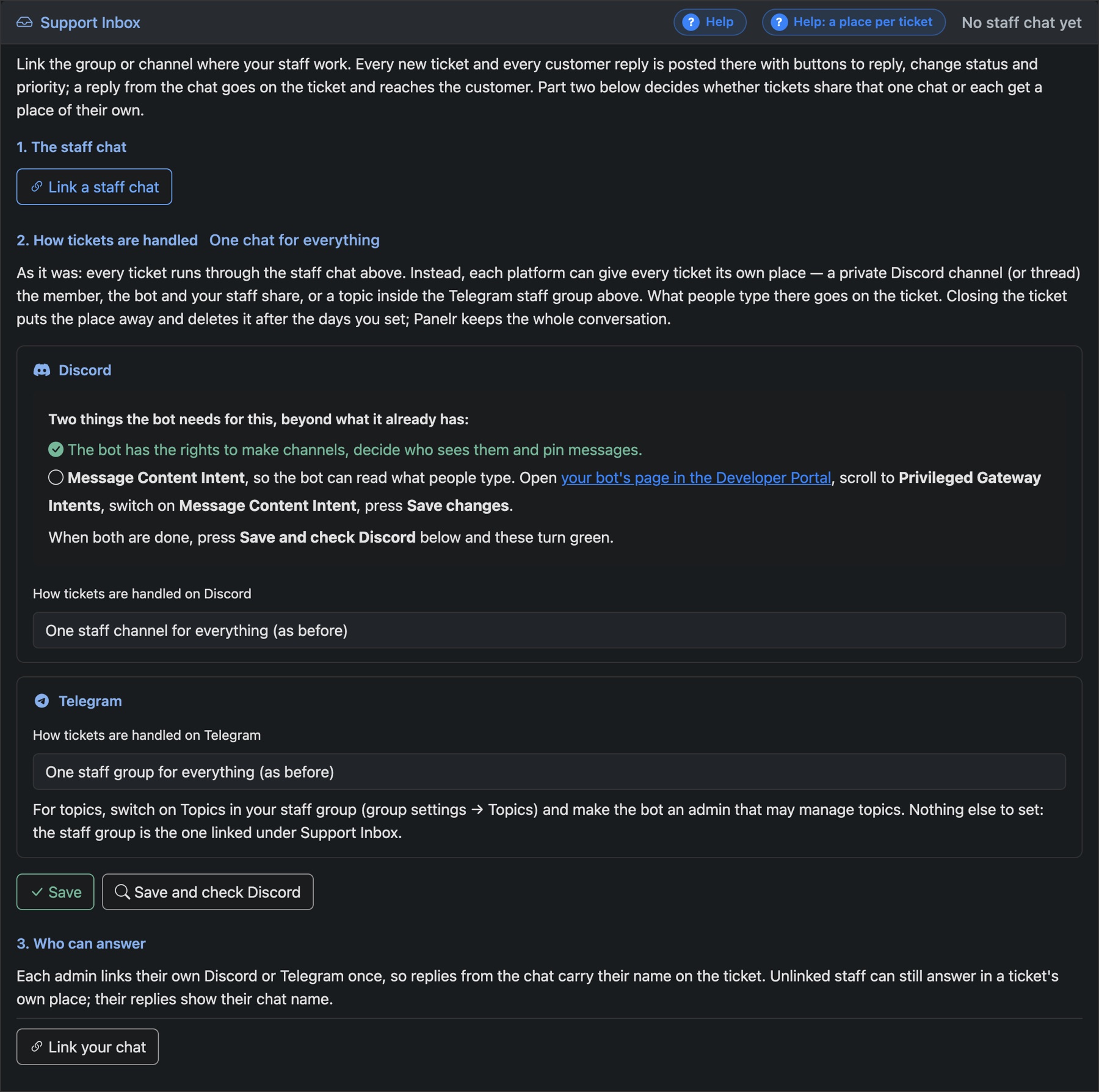
Link the staff chat
- Telegram: make a private group and add your bot to it. Discord: pick a channel your bot can post in.
- In Panelr, go to Settings → Bots → Support and press Link a staff chat. You get a code.
- Telegram: send
/inboxand the code in the group. Discord: type/linkin the channel and paste the code.
Link each person who answers
Under 3. Who can answer, each admin links their own Telegram or Discord once, so their replies carry their name on the ticket.
A place per ticket
Under 2. How tickets are handled, you can give each ticket its own private Discord channel or thread, or its own topic in your Telegram group, shared by the customer, the bot and your staff. Closing the ticket tidies the place away. Panelr keeps the whole conversation.
Discord needs two things first: the bot must be allowed to make channels, and Message Content Intent must be on for your bot in the Discord Developer Portal. Telegram needs Topics switched on in the group, and the bot made an admin that can manage topics.