
The dashboard is the first page after you sign in. It shows what needs you now, then how the store is doing.
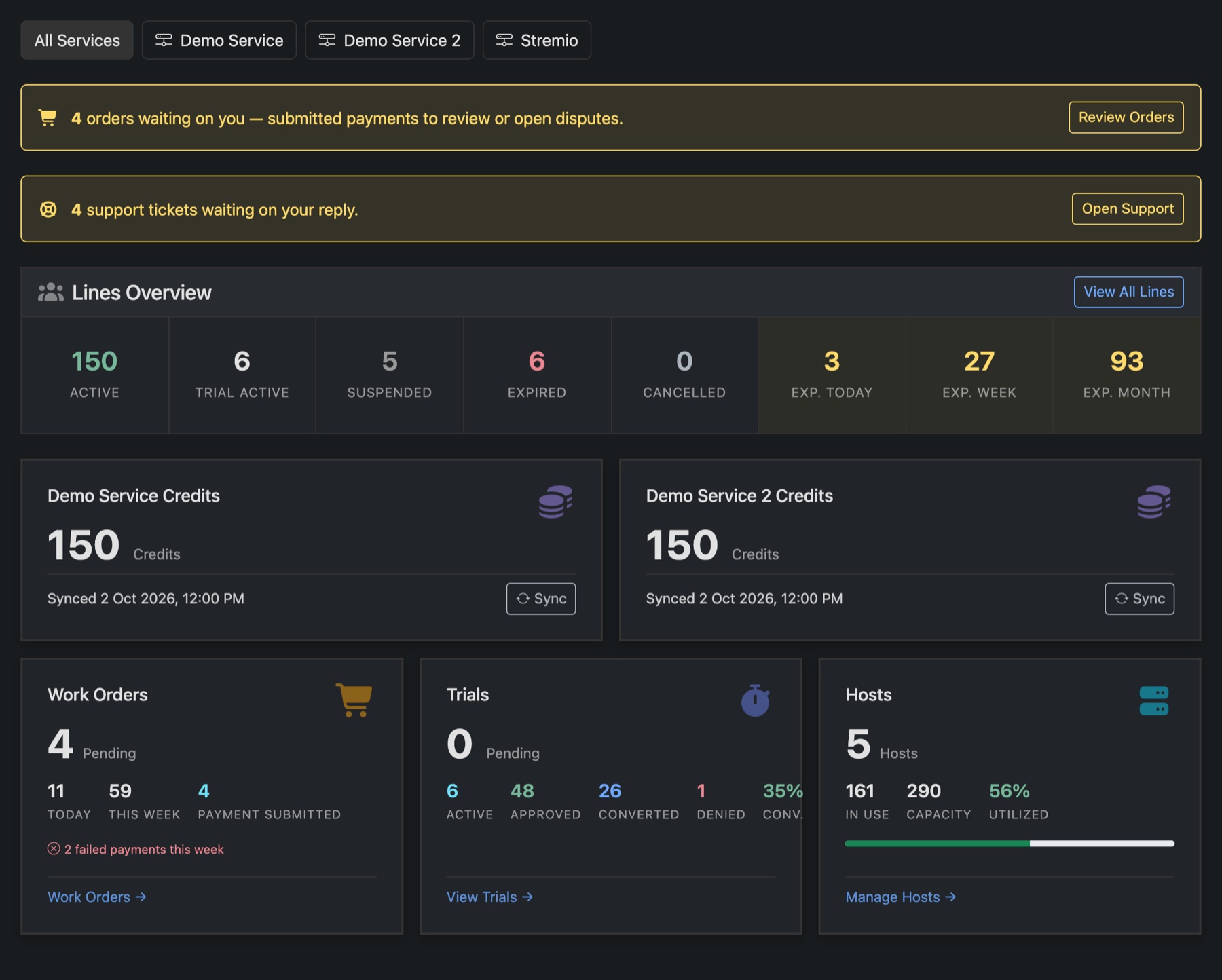
Across the top
- All Services and one button per service. Pick a service to see only its numbers.
- Yellow bars appear when something waits on you: payments to check, or tickets to answer. Each has a button that takes you there.
The cards
- Lines Overview: lines by status, and how many expire today, this week and this month. View All Lines opens the Lines page.
- Credits: one card per service that uses panel credits, with Sync to read the balance again.
- Work Orders: orders still pending, today's and this week's orders, and payments waiting for you to confirm.
- Trials: trials pending, running, approved, converted to paid and denied, with the conversion rate.
- Hosts: lines on your hosts against their total capacity.
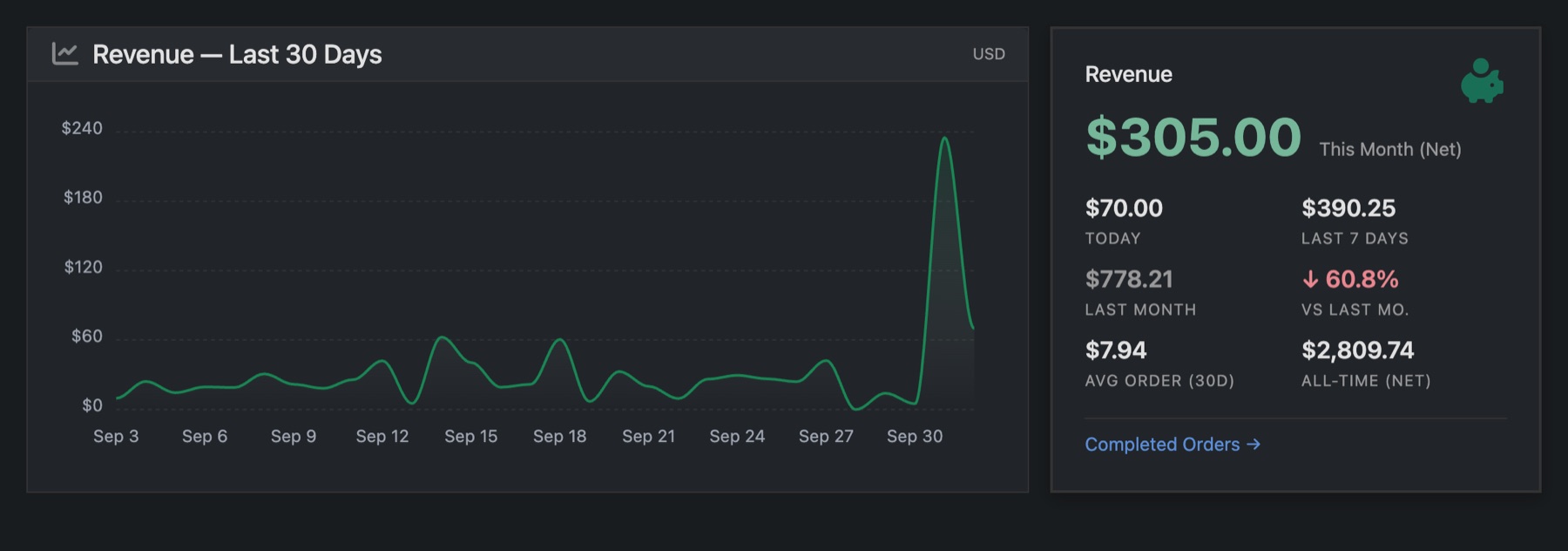
Further down
- Revenue: the last 30 days as a chart, plus this month, today, the last 7 days, last month, the average order and the all-time total. Money comes from completed orders, minus lost chargebacks.
- Completed Orders and Order Volume by Type: how many orders, and how many were new lines, renewals or trials.
- Expiration Forecast: how many lines run out on each of the next 30 days.
- Lines by Service: active, trial, expiring and suspended lines for each service.