
Panelr emails customers their login details, receipts, reminders and replies to their tickets. It sends through an email service you already use. Everything is on Settings → Email.
How email is sent
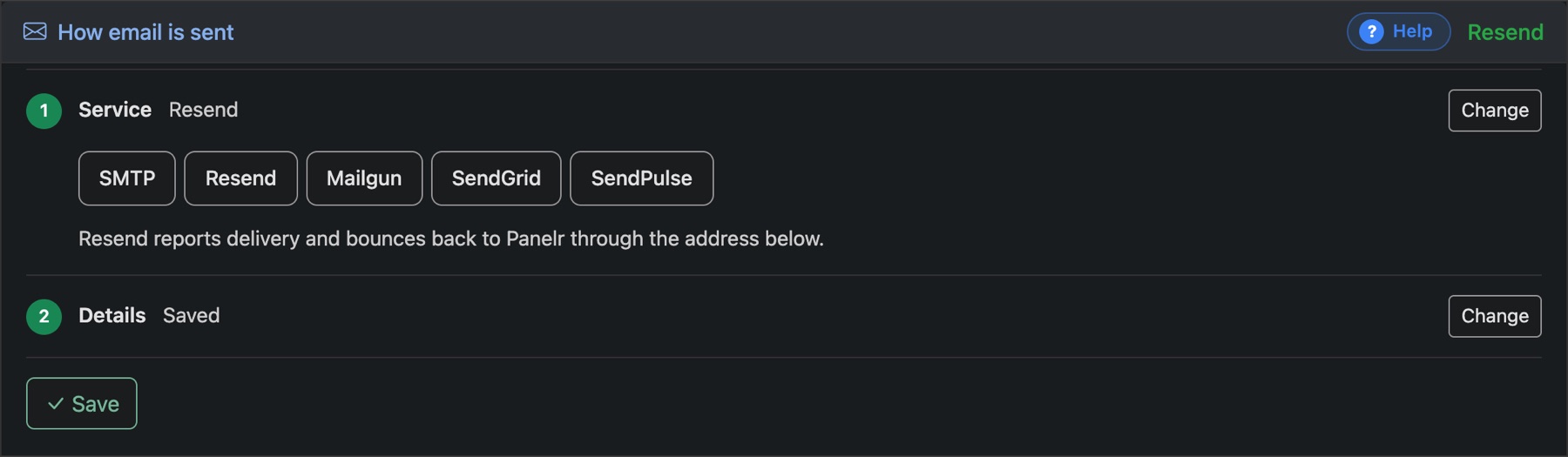
- Under Service, press Change and pick SMTP, Resend, Mailgun, SendGrid or SendPulse.
- Under Details, enter what that service gives you: a server, port, username and password for SMTP, or an API key for the others.
- Press Save.
Resend, Mailgun and SendGrid can also report deliveries and bounces back to Panelr. Each shows the address to give them.
Who your emails come from
Set the Name in the inbox, the From address and, if you like, a separate address for replies. Use a domain your email service has verified, or messages may land in spam.
Where you get notified
Your own address for new orders, trial requests and anything that fails to set up.
Reminders before a plan ends

Customers can be emailed two weeks before, one week before and on the day their plan ends, each with a way to renew. Tick the ones you want.
Until email is set up, buttons that send email are switched off and the admin tells you why. To change how the emails look, see Email design.