
Tell customers which apps to use. Panelr shows your list on an Apps page on your site, by service and by device.
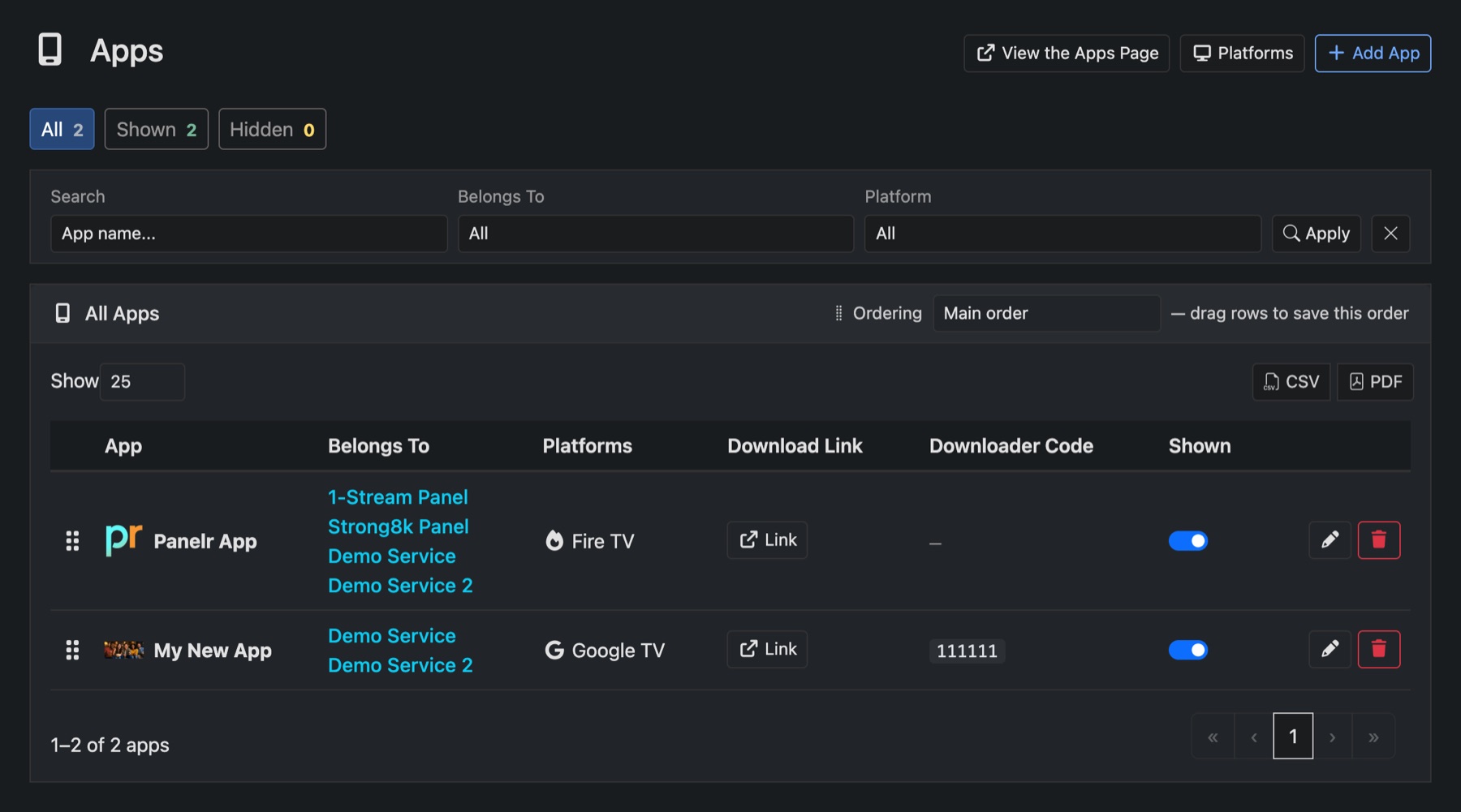
Add an app
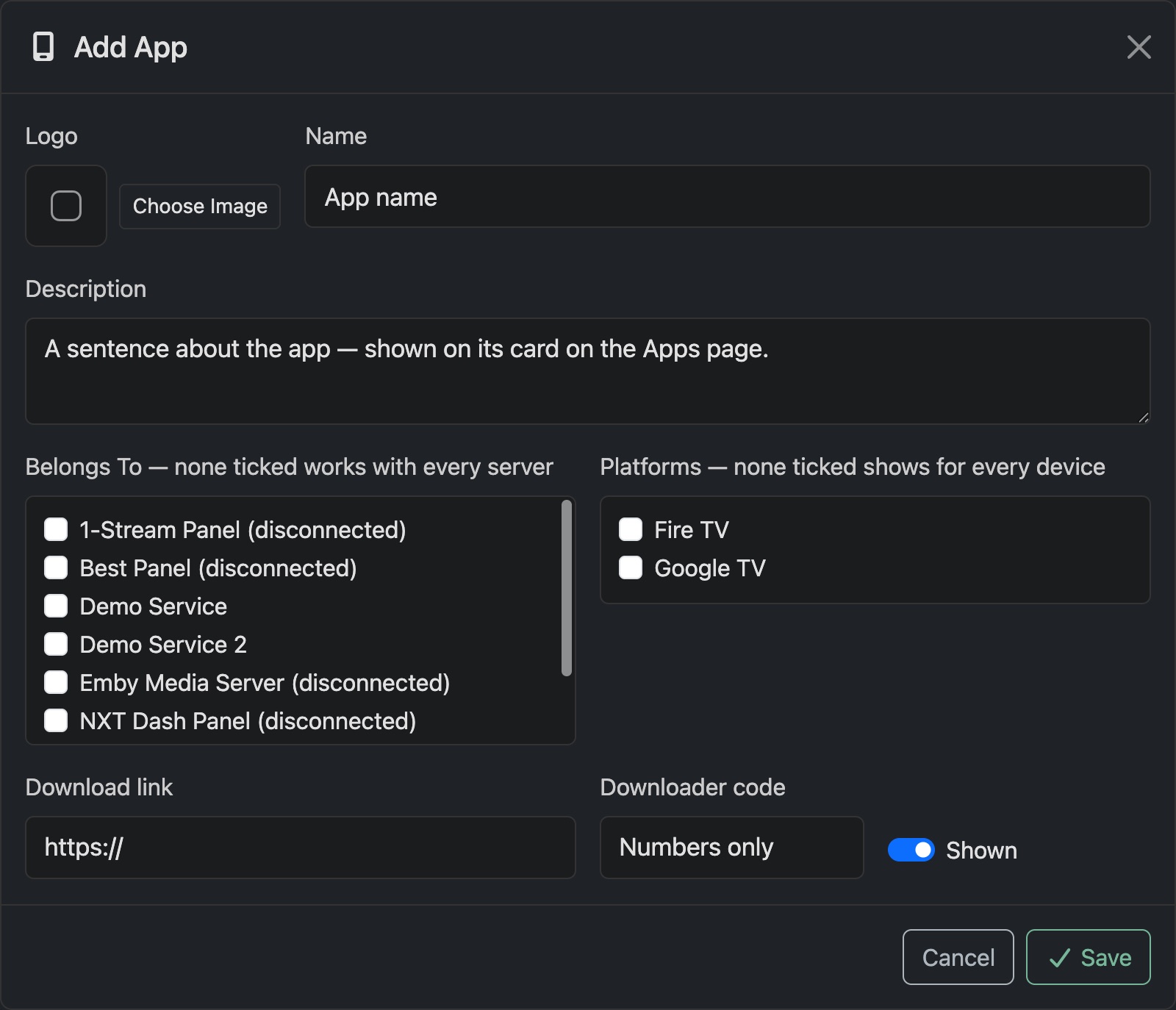
- Go to Apps and press Add App.
- Add a Logo, the Name and a short Description, such as which login to choose.
- Under Belongs To, tick the services it works with. Tick none and it shows for every service.
- Under Platforms, tick the devices it runs on. Tick none and it shows for every device.
- Add the Download link and, for Fire TV, the Downloader code.
- Press Save.
Good to know
- Platforms sets up the devices you offer, like Fire TV or Apple TV.
- Drag apps to set the order. Ordering lets you set a separate order for each service and each device.
- Settings → Website → Apps page decides who sees the page: everyone, members only, or nobody.
- View the Apps Page opens it as your customers see it.