
Every email Panelr sends uses one design. Change it in the Site Editor: pick Emails from the Page list.
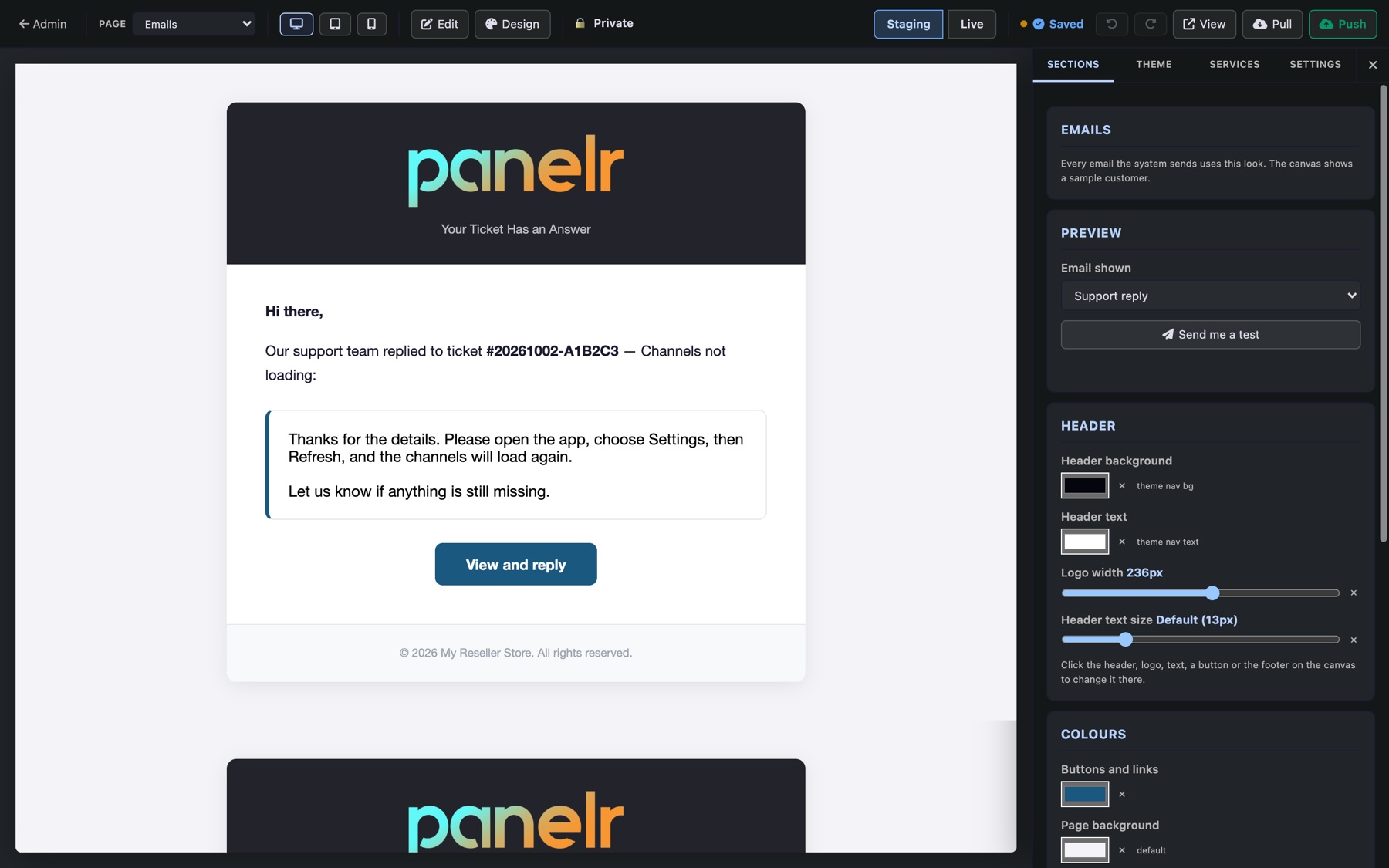
- Email shown picks which email to preview: order ready, trial ready, plan ending soon, support reply, a message from you, password reset or account setup.
- Header: its colours, the logo width and the text size.
- Colours: buttons and links, page background, text, borders and footer.
- Font: choose from fonts every mail app already has. Web fonts don't work in email.
- Click the header, logo, text, a button or the footer on the sample to change it there.
Send me a test emails the preview to you, so you can check it in your own inbox. Email must be set up first; see Set up email.