
A trial gives someone a short line so they can try a service before paying. Each service has its own trial, and a customer can try each service once. Leave trials off on any service you don't want to offer them on.
Turn on a trial for a service
- Go to Settings → Panel Plugin and open the service.
- In its trial section, switch on the trial.
- Choose the Trial product: the plan a trial line is made with on the panel.
- Set the Trial length (hours) and Trials per day.
- Press Save Trial Settings.
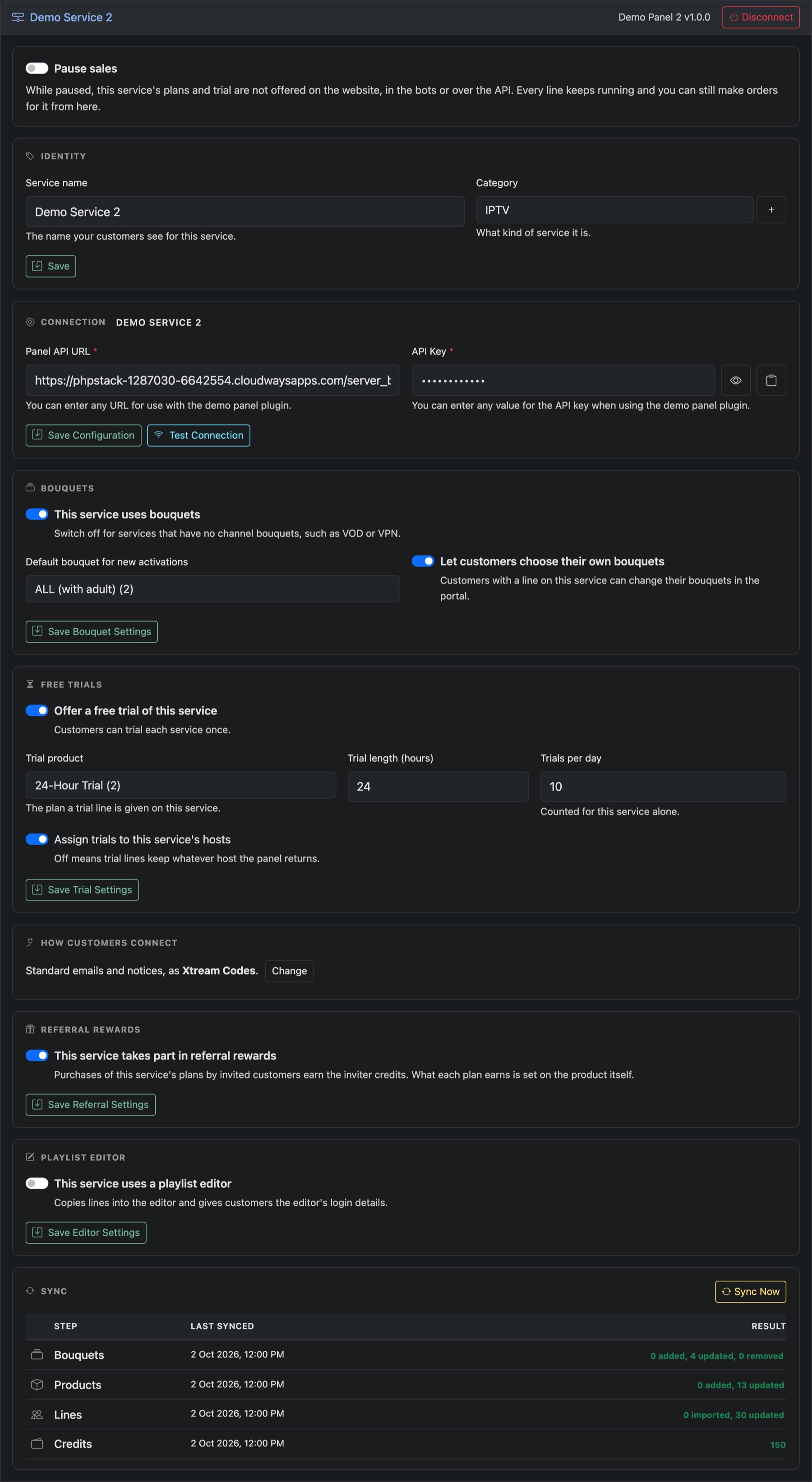
Assign trials to this service's hosts puts trial lines on your own hosts. Off, they keep whatever host the panel gives them.
See every service at once
Settings → Trials lists each service, its trial plan, length and daily limit, and whether it's on.
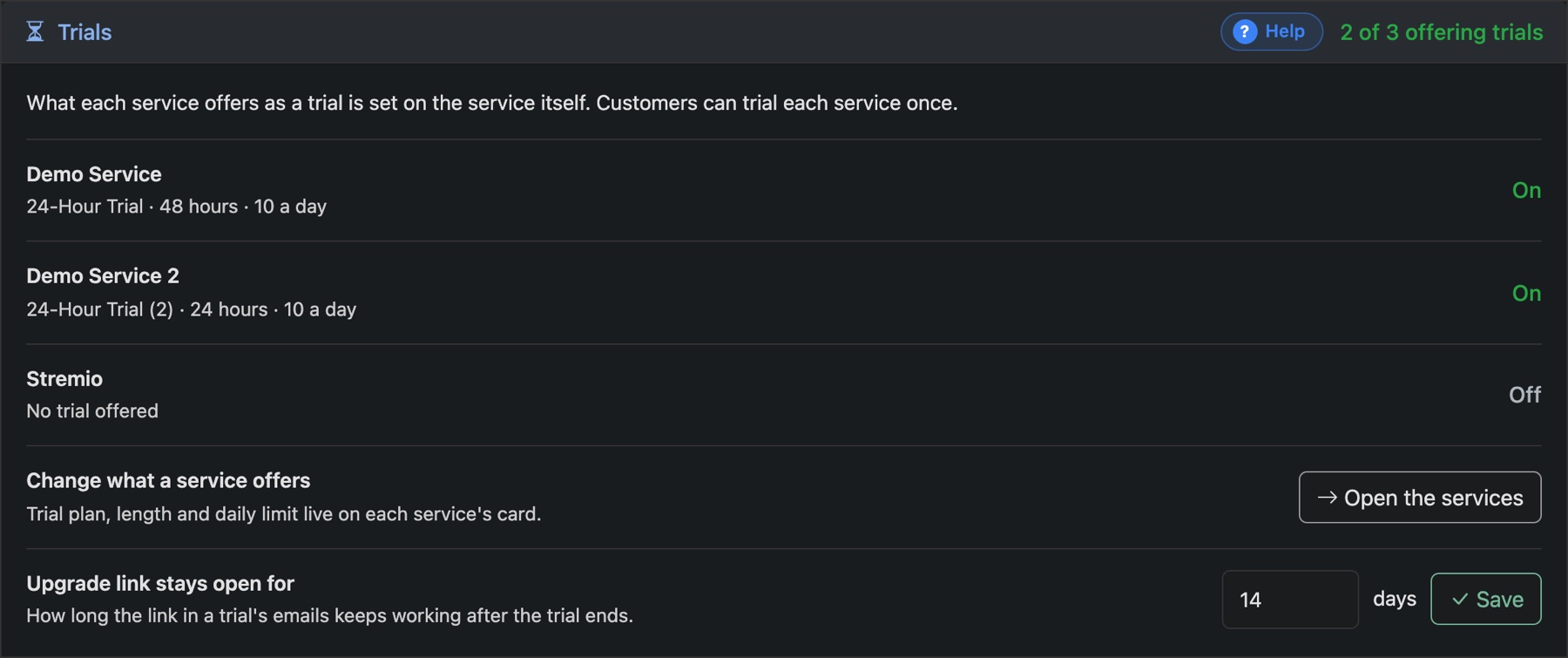
Upgrade link stays open for sets how many days the upgrade link in a trial's emails keeps working after the trial ends.
Next, decide who gets a trial: see Trial screening.